If you’ve ever stared at the WordPress plugin directory and felt your eyes glaze over, you’re not alone. There are more than 60,000 plugins in there, and maybe a few hundred of them are actually worth your time. The rest are abandoned, half-broken, or trying to do a job three other plugins already do better.
We rebuilt this list from scratch for 2026. A few plugins from our old roundup like the original Google XML Sitemaps and the classic TinyMCE Advanced have been discontinued or replaced by better tools, so we pulled them and swapped in what’s actually working on real sites right now. Below are the best WordPress plugins across the categories that matter most: SEO, speed, security, forms, backups, and design.
Best WordPress Plugins at a Glance
- Rank Math – Best WordPress SEO plugin
- WPForms – Best WordPress form plugin
- Wordfence Security – Best WordPress security plugin
- WP Rocket – Best WordPress caching plugin for speed
- UpdraftPlus – Best WordPress backup plugin
- Elementor – Best WordPress page builder
- ShortPixel – Best WordPress image optimization plugin
- MonsterInsights – Best WordPress analytics plugin
- Akismet – Best WordPress anti-spam plugin
- Jetpack – Best all-in-one WordPress plugin
- WooCommerce – Best WordPress eCommerce plugin
- WPCode – Best plugin for adding custom code safely
- Duplicator – Best WordPress migration plugin
- SeedProd – Best coming-soon and landing page plugin
- All in One SEO – Best Rank Math alternative
Now let’s go through each one, why it made the cut, and who it’s actually built for.
1. Rank Math Best WordPress SEO Plugin
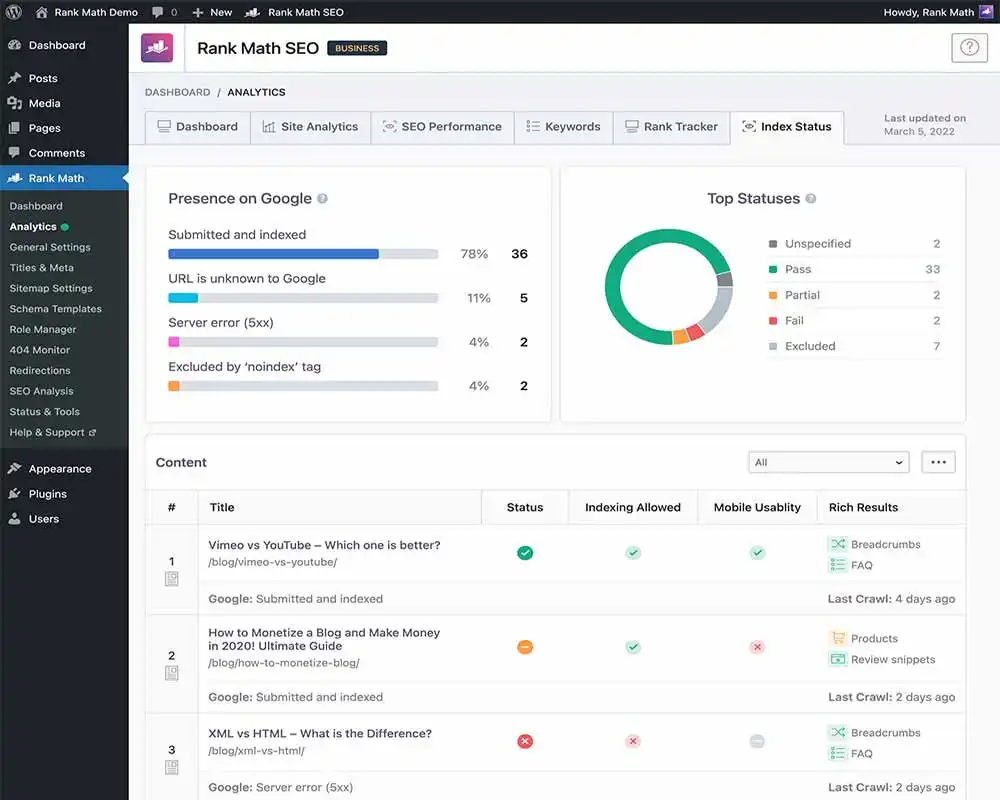
Yoast SEO used to be the automatic answer here, and it’s still a solid plugin. But for 2026, Rank Math has pulled ahead for most site owners, mostly because it bundles features that used to cost extra elsewhere schema markup, a built-in 404 monitor, redirection manager, and keyword rank tracking, all in the free version.
If you’re optimizing content to rank on Google, this is the WordPress SEO plugin to install first. It walks you through titles, meta descriptions, internal linking suggestions, and readability, then scores the page so you know exactly what to fix before hitting publish.
Best for: anyone serious about organic traffic, from solo bloggers to agencies managing multiple client sites.
Price: free; Pro starts around $59/year.
2. WPForms Best WordPress Form Plugin

Every site needs a way for visitors to contact you, and WPForms is still the easiest drag-and-drop builder for doing that without touching code. You get contact forms, payment forms, surveys, and multi-step lead forms, plus conditional logic so fields only show up when they’re relevant.
The free Lite version covers basic contact forms fine. Once you need file uploads, payment integrations, or marketing automation connections (Mailchimp, HubSpot, and similar tools), you’ll want to move up to a paid tier.
Best for: small business sites that need reliable lead capture without hiring a developer.
Price: free; Pro starts at $199.50/year.
3. Wordfence Security Best WordPress Security Plugin

WordPress runs a huge share of the web, which makes it a constant target for bots and brute-force attacks. Wordfence is the plugin most site owners reach for because it covers the two things that actually stop attacks: a web application firewall that blocks malicious traffic before it touches your server, and a malware scanner that checks your files against a live threat database.
It also handles login security two-factor authentication, rate limiting on failed logins, and real-time alerts if something looks off. For anyone running a WordPress security plugin for the first time, Wordfence’s setup wizard makes the whole process painless.
Best for: any site owner who wants proactive protection instead of finding out about a hack after the fact.
Price: free; Premium starts at $119/year per site.
4. WP Rocket Best WordPress Caching Plugin
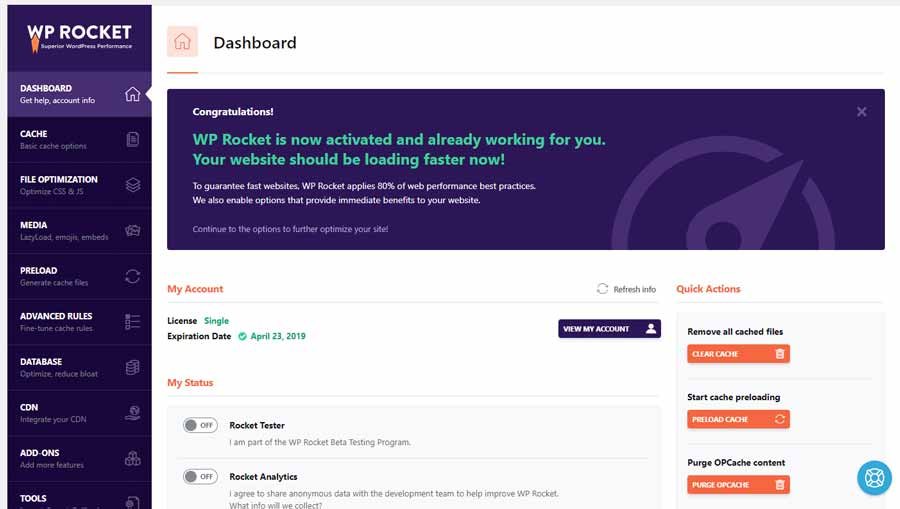
Page speed affects both rankings and conversions, and WP Rocket remains the fastest way to fix it without digging into server configs. Activate it and it applies sensible caching defaults immediately no advanced settings required.
From there you can layer in file minification, lazy loading for images, and database cleanup. If your host runs LiteSpeed servers, LiteSpeed Cache is a strong free alternative worth checking first, since it’s built specifically for that environment.
Best for: sites that feel sluggish and need a speed fix without a developer.
Price: starts at $59/year (no free version, but the ROI on Core Web Vitals is usually worth it).
5. UpdraftPlus Best WordPress Backup Plugin

A bad plugin update, a hacked site, or a fat-fingered database edit can undo months of work in seconds. UpdraftPlus automates the fix: scheduled backups that save straight to Google Drive, Dropbox, or Amazon S3, and a one-click restore if anything goes wrong.
The free version alone is enough for most personal blogs and small business sites. Larger or eCommerce sites should look at the premium tier for incremental backups, which only back up what’s changed instead of the whole site every time.
Best for: literally every WordPress site this is non-negotiable, not optional.
Price: free; Premium starts at $70/year.
6. Elementor Best WordPress Page Builder

If you want to design pages visually instead of relying on your theme’s default templates, Elementor is still the page builder most people land on. The drag-and-drop editor lets you build layouts, landing pages, and custom headers or footers without writing a line of code, and the live front-end editing means what you see while building is what visitors actually get.
The free version is genuinely usable for simple sites. Pro unlocks the popup builder, theme builder, and WooCommerce-specific widgets if you’re running a store.
Best for: anyone who wants full design control without hiring a developer.
Price: free; Pro starts at $59/year.
If your dashboard itself could use a refresh, see our roundup of the best WordPress admin dashboard themes and plugins for 2026
7. ShortPixel Best WordPress Image Optimization Plugin

Large, uncompressed images are one of the most common reasons WordPress sites load slowly. ShortPixel compresses images automatically as you upload them and converts them to modern formats like WebP and AVIF, which shrink file size without a visible quality drop.
It also offers bulk optimization for your existing media library, so you’re not stuck manually re-uploading years of old blog images.
Best for: image-heavy blogs, portfolios, and eCommerce product pages.
Price: free for smaller sites; paid plans scale by image volume.
8. MonsterInsights Best WordPress Analytics Plugin
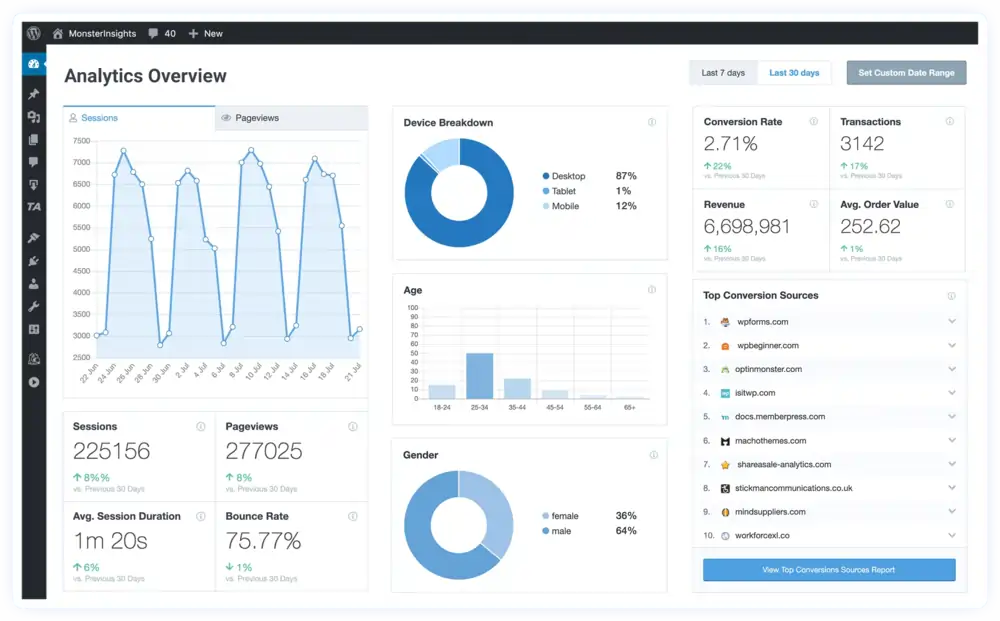
Google Analytics is powerful, but its own dashboard isn’t exactly beginner-friendly. MonsterInsights pulls the reports you actually care about top pages, traffic sources, bounce rate straight into your WordPress dashboard, so you’re not switching tabs constantly.
Google Site Kit, made directly by Google, is a solid free alternative if you want a no-frills setup that also covers Search Console and AdSense data in one place.
Best for: anyone who wants to understand their traffic without learning GA4’s full interface.
Price: free; Pro starts at $99.50/year.
9. Akismet Best WordPress Anti-Spam Plugin

Spam comments and fake form submissions are inevitable once your site gets any traffic. Akismet quietly filters out the vast majority of it in the background, using machine learning that improves the longer it runs. It comes pre-installed with WordPress, so activating it is usually a two-minute job.
Best for: any site that allows comments or public form submissions.
Price: free for personal sites; commercial pricing starts at $10/month.
10. Best All-in-One WordPress Plugin

Jetpack bundles security scanning, speed optimization, and basic site stats into a single plugin, which is handy if you’d rather manage one dashboard than five separate tools. It’s made by Automattic, the company behind WordPress.com, so it’s built to work well with core WordPress updates.
It’s not always the strongest tool in any one category compared to a dedicated plugin, but as a starting point for a new site, it covers a lot of ground fast.
Best for: beginners who want broad coverage without installing and configuring five separate plugins.
Price: core features free; paid tiers add advanced security and CDN features.
11. WooCommerce Best WordPress eCommerce Plugin

If you’re selling anything physical products, digital downloads, bookings WooCommerce is still the default choice. It’s free, open-source, and turns a regular WordPress site into a full storefront with inventory management, tax calculation, shipping rules, and support for over 100 payment gateways including Stripe and PayPal.
Best for: any WordPress site that needs to sell something.
Price: free core plugin; extensions and premium themes cost extra depending on what you need.
12. WPCode Best Plugin for Custom Code Snippets
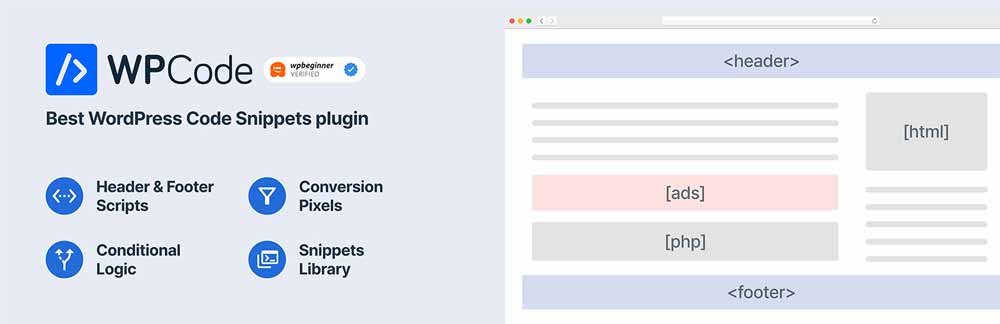
Sooner or later you’ll need to add a tracking pixel, a conversion snippet, or a small PHP function you found in a tutorial. Editing your theme’s functions.php directly is risky one typo and your site goes white-screen. WPCode lets you paste snippets into a safe interface, choose exactly where they run, and toggle them on or off. If a snippet throws an error, it automatically disables itself before it can take your site down.
Best for: anyone who needs to add small code snippets without touching theme files.
Price: free; Pro adds a snippet library and conditional logic.
13. Duplicator Best WordPress Migration Plugin
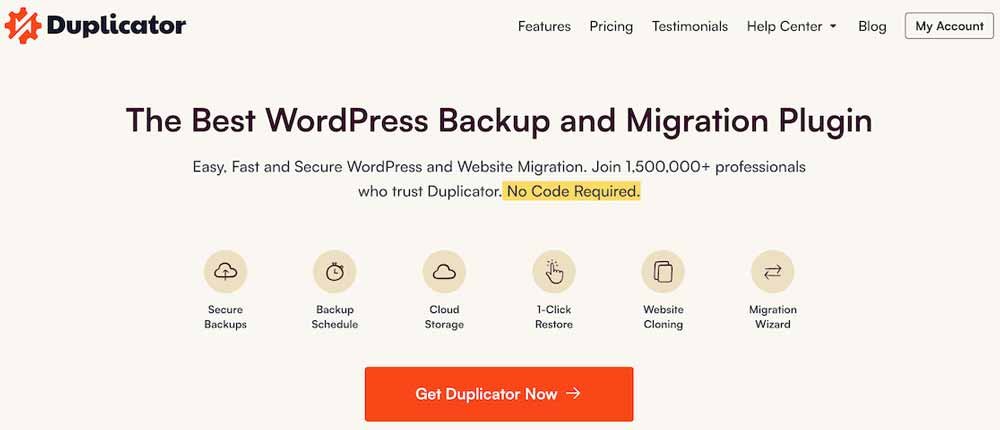
Moving a WordPress site to a new host, or cloning it for a staging environment, used to mean manually copying files and databases. Duplicator packages your entire site into a single installer you can deploy anywhere in a few clicks.
Best for: developers and site owners doing migrations, staging setups, or full-site backups.
Price: free; Pro starts around $69.50/year.
14. SeedProd Best Coming Soon and Landing Page Plugin

Launching a new site or running a specific campaign landing page? SeedProd’s drag-and-drop builder is built specifically for high-converting single pages, with pre-built templates for coming-soon pages, maintenance mode, and lead-gen landing pages that don’t require your full theme.
Best for: product launches, waitlists, and standalone marketing pages.
Price: starts at $39.50/year.
Running a news-style site? See our dedicated roundup of the best WordPress news plugins for tickers, RSS importers, and more.
15. All in One SEO Best Rank Math Alternative
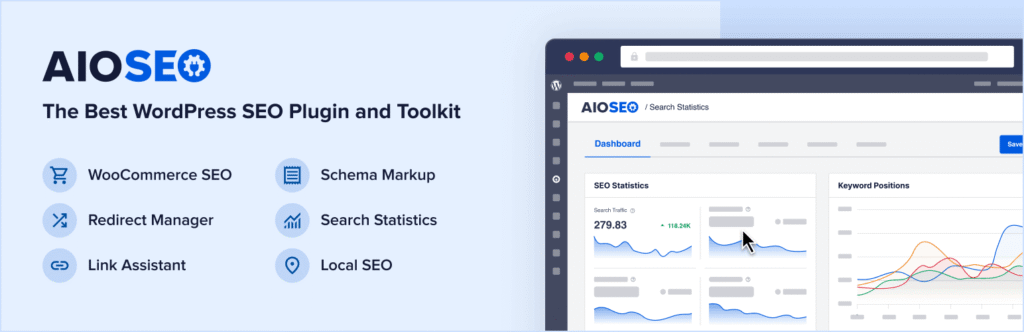
If Rank Math’s interface feels like too much, All in One SEO (AIOSEO) is a strong, more streamlined alternative. It covers the same core ground sitemaps, meta tags, schema, local SEO with a setup wizard that gets you through the basics in under 10 minutes.
Best for: beginners who want SEO essentials covered without a steep learning curve.
Price: free; Pro starts at $49.50/year.
How to Choose the Right WordPress Plugins for Your Site
You don’t need all 15 of these. Every active plugin adds a small amount of load time and one more thing that could eventually break during an update, so the goal is coverage, not collection. A lean, well-chosen stack almost always outperforms a bloated one.
A strong plugin stack supports your SEO, but it starts with getting the fundamentals of your Google presence right see why Google matters for your business.
A reasonable starting stack for most small sites looks like this: one SEO plugin, one caching plugin, one security plugin, one backup plugin, and a form plugin if you need lead capture. Add a page builder only if your theme’s built-in editor isn’t cutting it, and only add WooCommerce if you’re actually selling something.
Curious how WordPress stacks up against Shopify, Wix, and other platforms? See our updated look at CMS market share for 2026
Before installing anything, check three things: how recently it was updated, how many active installations it has, and what the reviews say about support responsiveness. A plugin with 500,000+ installs and a recent update is a safer long-term bet than one with flashy features and a changelog that stopped a year ago.
If your plugin stack still feels unmanageable after this, it might be time to bring in a WordPress consultant here’s how to hire the right one
Improve Your WordPress Website With the Right Plugins
The right plugin stack does the quiet work in the background keeping your site fast, secure, backed up, and easy for both visitors and Google to navigate. Start with the essentials (SEO, caching, security, backups), layer in the extras your site actually needs, and resist the urge to install “just in case” plugins that never get configured properly.
If you’re setting up caching for the first time, our step-by-step guide on installing and configuring W3 Total Cache walks through the settings that matter most. And once your plugin stack is in place, it’s worth reading through our guide on securing WordPress sites from hackers to make sure nothing’s left exposed.
Once your plugin stack is set, run your content through our guide to the best tools to check blog post quality before you publish.
Don’t forget to share this post!
Frequently Asked Questions
What are the best WordPress plugins for a new site in 2026?
Start with an SEO plugin (Rank Math or All in One SEO), a caching plugin (WP Rocket or LiteSpeed Cache), a security plugin (Wordfence), and a backup plugin (UpdraftPlus). That combination covers the essentials before you add anything else.
How many plugins is too many for a WordPress site?
There’s no fixed number a site can run 30 well-coded plugins fine, or slow to a crawl with 10 bloated ones. What matters more is plugin quality: check update frequency, install count, and whether two plugins are doing the same job.
Are free WordPress plugins safe to use?
Most are, as long as you install from the official WordPress.org directory and check that the plugin is actively maintained. Avoid anything that hasn’t been updated in over a year or has unresolved security reports in its support forum.
What is the best free WordPress plugin for small business websites?
For most small business sites, the combination of Rank Math, WPForms, Wordfence, and UpdraftPlus (all free) covers SEO, lead capture, security, and backups without spending anything.
Do I need a caching plugin if my host already offers caching?
Sometimes not some managed WordPress hosts handle server-level caching for you, which can make a separate plugin redundant or even cause conflicts. Check with your host before installing one.
