The default WordPress dashboard is functional but forgettable, the same blue-grey layout you’ve been staring at since your first install. If you manage client sites, work in wp-admin daily, or just want a cleaner workspace, a dashboard theme plugin can genuinely change how it feels to log in every day, without touching a line of code.
We rebuilt this list for 2026. Admin theming has changed a lot, some older standalone “admin theme” plugins have faded out in favor of full customization suites, and dark mode has gone from novelty to expected feature. Here are 7 current picks, from simple color swaps to full white-label dashboard overhauls.
Quick Answer: Best WordPress Admin Dashboard Themes & Plugins
- WP Adminify – best all-in-one dashboard customization suite
- Default Admin Color Scheme – best free, simple color refresh
- WP Dark Mode – best for a full dark mode dashboard
- Ultimate Dashboard – best for custom branding and widgets
- Admin Columns – best for customizing list views (posts, users, media)
- Smart Admin Assistant – best for cleanup, speed, and login security
- Theme My Login – best for a fully branded login experience
What to Look for Before You Install One
Three things matter more than how flashy the screenshots look:
- Compatibility with your current WordPress version: check the “last updated” date and tested-up-to version on the plugin listing before installing anything.
- Minimal performance overhead: an admin theme should never slow down your dashboard page loads, since it isn’t touching your live site anyway.
- Familiar structure: a good dashboard theme changes the visual presentation, not where your menus and settings live. You shouldn’t need to relearn your own site to find the page you edited yesterday.
1. WP Adminify | Best All-in-One Dashboard Customization Suite
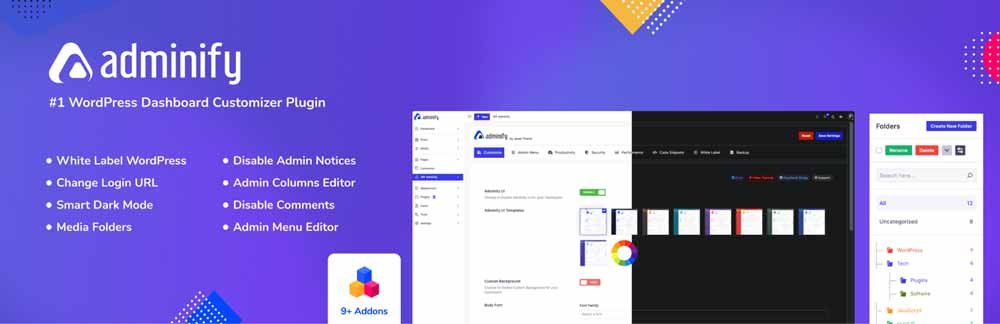
WP Adminify has become the default answer for serious dashboard customization, and it’s not close. Beyond changing colors, it includes a menu editor (hide, rename, or reorder items), a login page customizer, dark mode, white-label branding for client sites, and even a built-in PageSpeed Insights widget so you can check performance without leaving wp-admin.
For agencies managing multiple client sites, the white-labeling alone is worth it, replace the WordPress logo, rename sections, and present a fully branded backend instead of a generic install.
Best for: agencies and site owners who want deep, comprehensive control over the entire admin experience, not just a color change.
Price: free version covers the basics; paid plans start around $63/year for one site.
2. Default Admin Color Scheme | Best Free, Simple Color Refresh
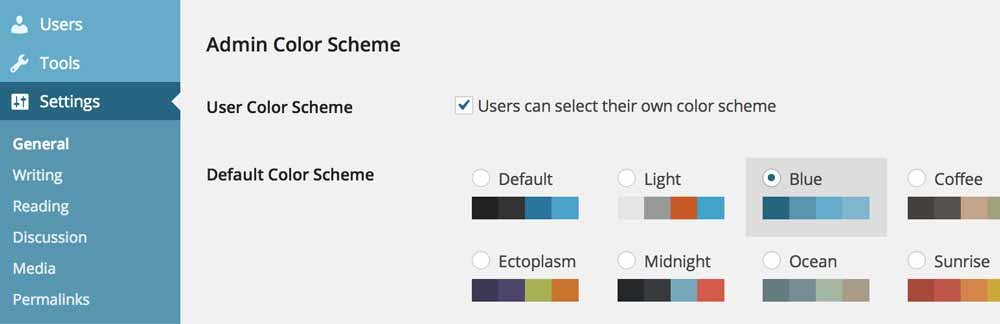
If you just want to move past WordPress’s default blue-grey without installing a full customization suite, Default Admin Color Scheme does exactly one thing well: it lets you set a site-wide default color scheme from WordPress’s own built-in options, instead of leaving it to each user’s individual profile settings.
You can also lock it in place by removing the color scheme picker from users’ profiles entirely, useful for client sites where you don’t want the look changing under you.
It’s a genuinely lightweight, no-frills plugin, actively maintained and confirmed updated as of mid-2026.
Best for: anyone who wants a quick, simple color change applied consistently across all users, with zero learning curve.
Price: free.
3. WP Dark Mode | Best for a Full Dark Mode Dashboard
WP Dark Mode – Improve Accessibility with AI Powered Dark Theme
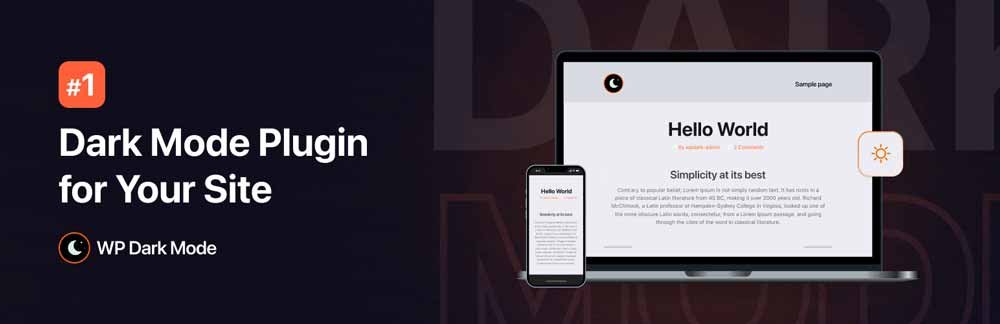
Rather than a different color palette, WP Dark Mode gives your admin area an actual dark theme, genuinely useful if you spend long stretches in wp-admin and want to cut down on eye strain. Beyond the admin panel toggle, it also supports OS-aware switching, so the dashboard can automatically match whatever light/dark preference is already set on your device.
It’s one of the more established dark mode plugins for WordPress, with 20,000+ active installs and a strong review average, and it’s confirmed actively maintained as of a few weeks ago.
Best for: anyone who works in wp-admin for long stretches and wants a genuine dark theme, not just a different accent color.
Price: free version covers admin dark mode; paid tiers add frontend dark mode scheduling and more customization.
4. Ultimate Dashboard | Best for Custom Branding and Widgets
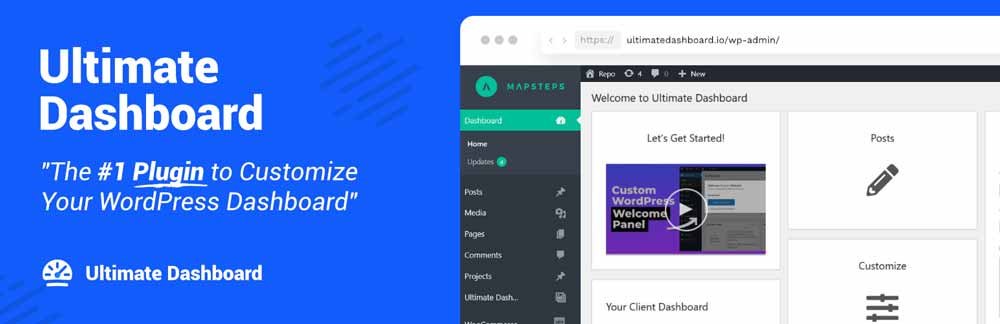
Ultimate Dashboard focuses less on color and more on control over what actually appears on your dashboard’s home screen. Add, remove, or rearrange dashboard widgets, replace the WordPress logo with your own branding, and build a custom login page, genuinely useful if you hand sites off to clients who don’t need to see developer-facing widgets.
Best for: client sites where you want a simplified, branded dashboard rather than the full default widget set.
Price: free core plugin; Pro adds custom CSS control and more branding options.
5. Admin Columns | Best for Customizing List Views
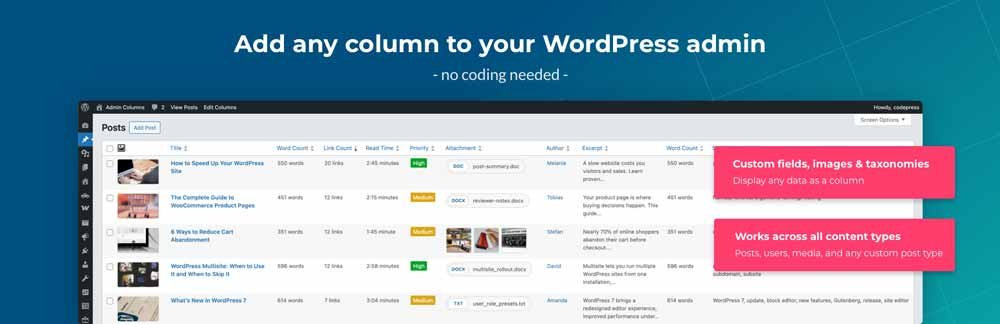
Admin Columns solves a different problem entirely, instead of changing how the dashboard looks, it changes how your content lists (posts, users, comments, media) are organized. Add, remove, or reorder columns in these list views, which becomes genuinely useful once you’re managing more than a handful of posts or a busy media library.
Best for: sites with a lot of content where the default list views have become hard to scan.
Price: free version works well for most sites; Pro unlocks more supported content types and editable columns.
6. Smart Admin Assistant | Best for Cleanup, Speed, and Login Security
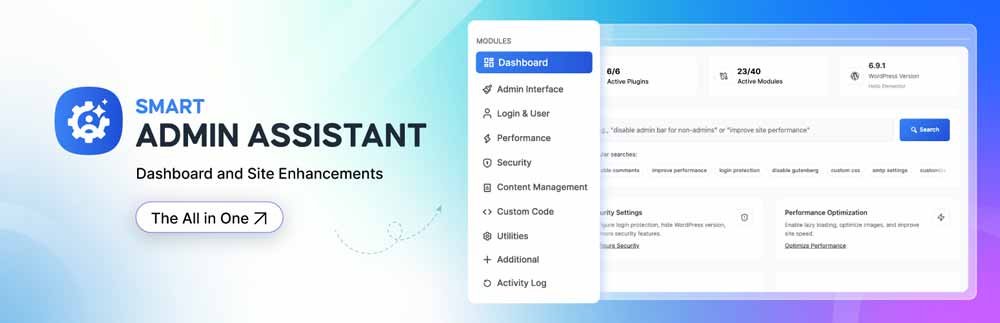
Smart Admin Assistant leans more functional than cosmetic. It cleans up admin notices, lets you replace the default /wp-admin login URL (a common target for bots and brute-force attempts), trims unused post revisions, and includes basic CAPTCHA protection on login and comment forms, all from one lightweight plugin.
Best for: site owners who want less dashboard clutter and a bit of extra login security in the same plugin.
Price: free, with a Pro tier for more advanced client-dashboard controls.
7. Theme My Login | Best for a Fully Branded Login Experience

If your main goal is just a polished, on-brand login page rather than a full dashboard overhaul, Theme My Login handles exactly that, branded login, registration, and profile pages styled to match your site, without extra coding.
Best for: sites that want a professional-looking login screen without installing a full dashboard suite.
Price: free.
A Word of Caution: Don’t Over-Customize
It’s tempting to stack several of these at once, but every additional admin-facing plugin is still a plugin, each one adds a small amount of overhead and one more thing that can conflict during a WordPress core update. Pick one dashboard theme (WP Adminify, Slate, or Fancy) plus, if needed, one functional add-on (Admin Columns or Smart Admin Assistant) rather than layering all seven.
If you’re also cleaning up your broader plugin stack, our guide to the best WordPress plugins for 2026 covers the essentials worth prioritizing alongside any dashboard customization.
Frequently Asked Questions
What is the best free WordPress admin dashboard theme?
Default Admin Color Scheme and WP Dark Mode are both genuinely free, actively maintained options. Default Admin Color Scheme lets you set a simple, consistent color scheme site-wide with zero configuration; WP Dark Mode gives you a full dark theme for the dashboard, including OS-aware switching, for anyone who spends long stretches in wp-admin.
Will an admin theme plugin slow down my website?
No, these plugins only affect the wp-admin area, which visitors never see, so they have no impact on your live site’s frontend speed. Well-built ones also add minimal overhead to the dashboard itself.
Can I remove WordPress branding from the dashboard for client sites?
Yes. WP Adminify and Ultimate Dashboard both support white-labeling, replacing the WordPress logo, renaming sections, and presenting a fully branded admin experience for clients.
Do I need to install these as themes or plugins?
Despite being called “admin themes,” these install and activate like regular WordPress plugins, not through Appearance > Themes. Search for them under Plugins > Add New, install, and activate.
How do I revert to the default WordPress dashboard look?
Simply deactivate the plugin. Most admin theme plugins, including Slate and Fancy, don’t alter your database structure, so deactivating instantly restores the standard WordPress admin appearance with nothing lost.
