
Running a news site, or just wanting to give your blog that live, breaking-news feel, takes more than the default WordPress post loop. Readers expect tickers, trending widgets, and layouts that make the latest story impossible to miss. The right WordPress news plugin handles that without you touching a line of code.
We rebuilt this list for 2026 with plugins you can actually verify on WordPress.org, rather than vague, unnamed picks. Here are 10 worth considering, depending on what kind of news experience you’re building.
Quick Answer: Best WordPress News Plugins
- Ditty News Ticker – most flexible all-purpose ticker plugin
- Advanced News Ticker – best for Elementor users
- PJ News Ticker – simplest lightweight marquee ticker
- Vertical News Scroller – best for sidebar or footer placement
- Feedzy – best for aggregating news from RSS feeds
- GN Publisher – best for getting into Google News
- Gutenverse News – best native block-editor news builder
- TopNewsWP – best free option for beginners
- PushEngage – best for breaking-news push notifications
- MonsterInsights – best for surfacing trending/popular stories
What to Look for in a WordPress News Plugin
Before picking one, it helps to know what these plugins typically offer, since features vary a lot between them:
- News ticker: a scrolling or sliding strip that displays your latest headlines, usually placed at the top of the page.
- News widget: a widgetized block for your sidebar, header, or footer that highlights recent or popular stories.
- News importer: pulls in content from RSS feeds or other sources so you’re not manually re-posting.
- Layout builder: grid, list, or magazine-style templates specifically designed for news and editorial content, beyond what a standard blog theme offers.
Not every site needs all four. A personal blog might just want a simple ticker; an actual news publication needs importers, Google News compliance, and a real layout builder.
1. Ditty News Ticker | Most Flexible All-Purpose Ticker
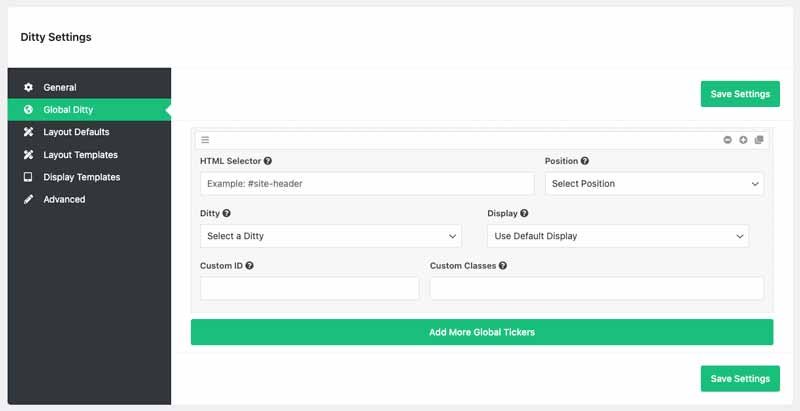
Ditty is less a single ticker plugin and more a content-display toolkit. It offers three display modes out of the box, Scroll, Slide, and List, and goes beyond a basic ticker to display any content type from your site, not just news posts.
The free version covers the core ticker functionality. Premium extensions add the ability to pull in content from Facebook, Twitter/X, Instagram, and external RSS feeds, and it works with all the popular page builders, including the Block Editor, Divi, Elementor, and Beaver Builder.
Best for: sites that want one flexible plugin instead of stacking multiple single-purpose ticker tools.
Price: free; premium tiers unlock social integrations and more display options.
2. Advanced News Ticker | Best for Elementor Users
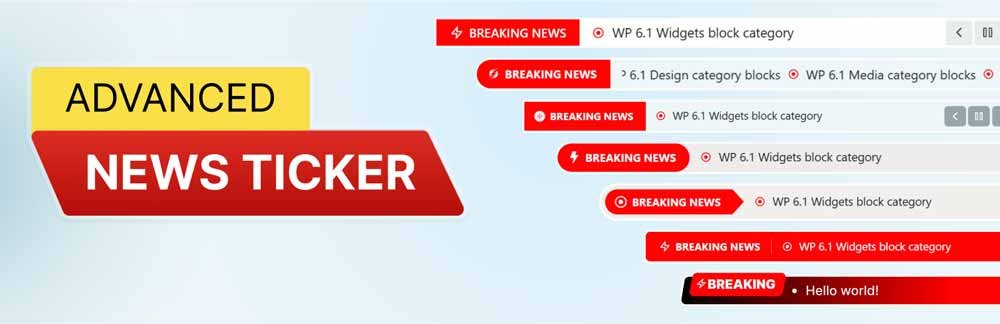
If you’re already building your site in Elementor, Advanced News Ticker is a natural fit, it’s built specifically for Elementor integration and ships with 8 customizable layouts for displaying headlines and breaking news.
Best for: Elementor-based sites that want a ticker that matches the rest of their design system without custom CSS work.
Price: free on WordPress.org.
3. PJ News Ticker | Simplest Lightweight Marquee Ticker
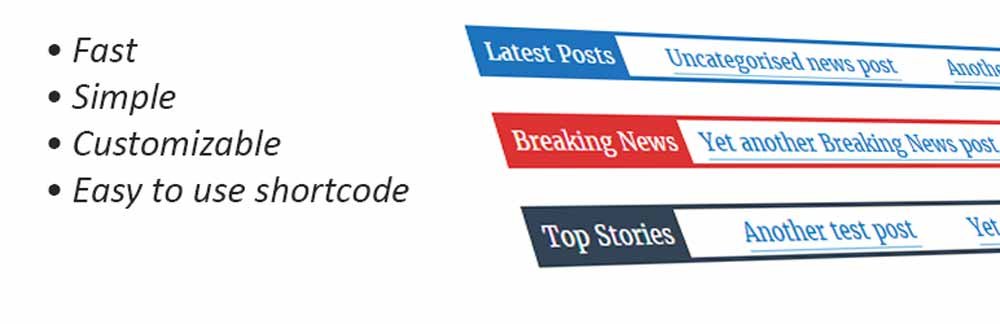
For sites that just want a straightforward marquee-style ticker showing recent posts with minimal setup, PJ News Ticker does exactly that and nothing more. It’s a small, lightweight plugin, which makes it a reasonable choice if you’re conscious about plugin bloat and don’t need Ditty’s broader feature set.
Best for: simple sites that want a basic “recent posts” ticker without extra configuration.
Price: free on WordPress.org.
4. Vertical News Scroller | Best for Sidebar or Footer Placement

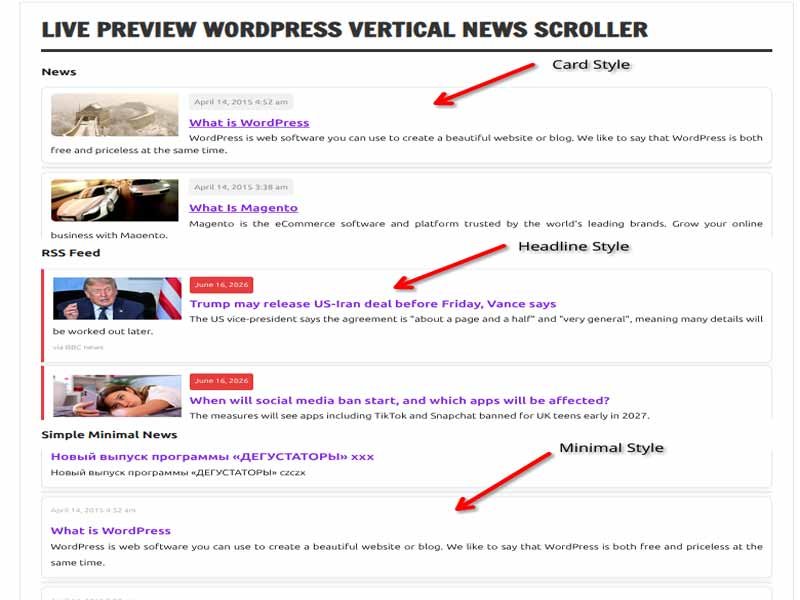
Rather than a horizontal marquee, Vertical News Scroller turns a sidebar, footer, or page section into a vertically scrolling news feed. You can add, edit, or delete news items directly, control scroll speed, height, width, fonts, and colors, and filter by category.
Best for: sites with limited horizontal space that still want a live-feeling news feed tucked into a sidebar or footer.
Price: free version available; premium starts around $13 for a one-time payment with added functionality.
5. Feedzy | Best for Aggregating News from RSS Feeds
RSS Aggregator by Feedzy – Feed to Post, Autoblogging, News & YouTube Video Feeds Aggregator

If part of your site’s value is curating news from other sources, Feedzy handles the RSS side of that. It aggregates feeds from multiple sources, lets you build a ticker from that aggregated content using shortcodes, and can notify you by email when a source you’re tracking publishes something new.
One limitation worth knowing upfront: since it relies on RSS, you’re limited to sources that actually publish a working feed, and the free plan caps some of the more advanced features.
Best for: curation-style sites pulling headlines from external sources rather than only their own content.
Price: free; premium plans unlock more feeds and automation features.
6. GN Publisher | Best for Getting Into Google News

If your goal is actual inclusion in Google News, formatting matters, Google has specific technical requirements for the RSS feed structure news publishers need to meet. GN Publisher generates a feed that complies with Google News’ RSS feed requirements, which is a narrower, more technical need than a typical news ticker plugin covers.
Best for: publishers specifically trying to qualify for Google News inclusion, not general blogs.
Price: free on WordPress.org.
7. Gutenverse News | Best Native Block-Editor News Builder

Gutenverse News takes a different approach from the ticker-focused plugins above, it’s a block library built specifically for the WordPress Block Editor and Site Editor, giving you news modules, hero sections, sliders, carousels, archive pages, and single-post layouts, all without leaving Gutenberg or writing custom code.
This is the better pick if you’re trying to build an actual news or magazine-style website structure, not just add a ticker widget to an existing blog.
Best for: building a full news or magazine site layout natively in the Block Editor.
Price: free; Gutenverse PRO adds premium templates and additional design options.
8. TopNewsWP | Best Free Option for Beginners
TopNewsWp – Display Tikcer News, RSS Feed Widget and Many More
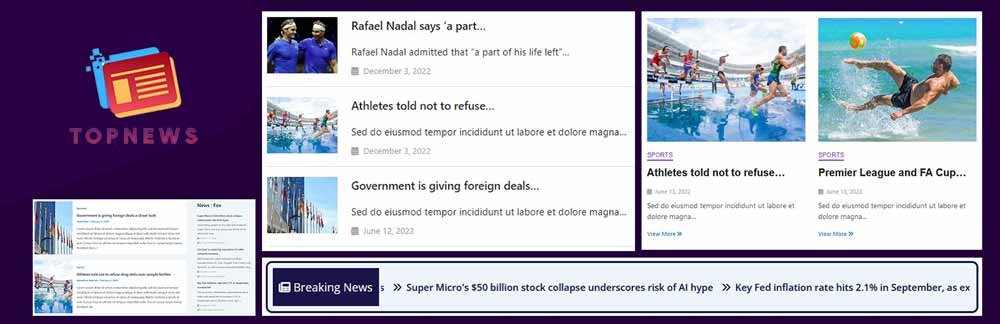
TopNewsWP is built for exactly the situation where you’re starting a news site on a tight budget and don’t want a steep learning curve. It displays content in a professional news layout (grid, list, or ticker), lets you control image zoom and title length, and shows source attribution for each story, useful if you’re aggregating or crediting outside content.
Best for: beginners launching a news site who want something functional out of the box with minimal setup.
Price: free, with limited color and font customization compared to paid alternatives.
9. PushEngage | Best for Breaking-News Push Notifications
PushEngage – Web Push Notifications, WooCommerce Automation & Chat Widget

A ticker only reaches people already on your site. PushEngage solves the other half of the problem: browser push notifications that reach readers even when they’re not actively on your page. Set it up to automatically notify subscribers when you publish, or build triggered notifications based on specific reader actions.
Best for: news sites that want to re-engage readers after they’ve left the site, not just while they’re browsing.
Price: free plan available; paid plans scale with subscriber count.
10. MonsterInsights | Best for Surfacing Trending/Popular Stories
MonsterInsights – Google Analytics Dashboard for WordPress (Website Stats Made Easy)

MonsterInsights is primarily an analytics plugin, but its Popular Posts widget doubles as a genuinely useful news tool, it automatically displays your most-viewed or most-shared stories, which is a simple, low-effort way to surface what’s actually resonating with readers instead of manually curating a “trending” section.
Best for: sites that want a data-driven trending section without manually managing it.
Price: free version available; Pro unlocks more customization and reporting depth.
How to Choose the Right Combination
Most sites don’t need all 10. A personal blog wanting a “breaking” feel might only need a lightweight ticker like PJ News Ticker. An actual news publication is better served by combining a proper layout builder (Gutenverse News or TopNewsWP) with an RSS importer (Feedzy) and a push notification tool (PushEngage) to cover the full reader journey, from layout, to content sourcing, to re-engagement.
Whatever you pick, keep site speed in mind, tickers and live-updating widgets can add overhead if you stack too many at once. If you haven’t already, pairing your news plugin stack with a properly configured caching plugin is worth doing; our guide to installing and configuring W3 Total Cache covers the settings that matter most for exactly this kind of content-heavy site.
Frequently Asked Questions
What is the best free WordPress news ticker plugin?
PJ News Ticker is the simplest free option for a basic marquee-style ticker. If you want more flexibility (multiple display modes, wider content sources), Ditty News Ticker’s free tier covers more ground.
How do I get my WordPress site into Google News?
Your RSS feed needs to meet Google News’ specific technical formatting requirements. GN Publisher is built specifically to generate a compliant feed, which is a narrower requirement than what standard news ticker plugins handle.
What’s the difference between a news plugin and a newsletter plugin?
A news plugin controls how content is displayed, organized, and shared on your website itself, tickers, layouts, importers. A newsletter plugin is for sending email campaigns to subscribers. They solve different problems and are often used together.
Do news ticker plugins slow down my site?
They can, especially if you run multiple ticker or live-updating widgets at once. Stick to one or two plugins that cover your actual needs, and pair them with a caching plugin to offset any added overhead.
Can I build a full news website without a page builder like Elementor?
Yes, Gutenverse News is built specifically for the native WordPress Block Editor and Site Editor, so you can build news layouts, archive pages, and single-post templates without Elementor or any other third-party builder.
