
Let me be straight with you.
When I started growing TechEntires, spending $130 a month on Ahrefs or $200 on Semrush simply wasn’t an option. I had a blog to build, not a marketing budget to burn. So I relied on the best competitor keyword research tool free tiers and squeezed every drop of value out of their daily limits.
Years later, I still use these free platforms regularly. They allow me to track ranking shifts, audit low-quality backlinks, and perform a complete keyword gap analysis against competing domains, without spending a dime.
You don’t need a premium subscription to find competitors keywords free or uncover hidden long-tail search terms. In this guide, I evaluate the top free platforms so you can check competitor keywords free, compare their search volume features and daily limits, and quickly boost your blog’s organic rankings.
Why Competitor Keyword Research Matters for Bloggers
Here is a scenario most bloggers know too well.
You spend three days writing what you think is a great article. You hit publish. You wait. Six months later it sits on page four with eleven impressions and zero clicks. Meanwhile, a competitor blog with a similar domain age sits on page one for the exact same topic.
What do they know that you do not?
Usually it comes down to three things. They targeted a slightly different keyword variation with less competition. Their content covers angles you missed. And they built content around what their audience actually searches for, not what they assumed people search for.
Using free keyword research tools for bloggers fixes all three problems at once. Instead of guessing, you look at what is already working for blogs in your space. You find keyword gaps they have not filled yet. You build content with actual search demand behind it.
The good news is you do not need an expensive tool to do this. You need the right free tool used the right way.
The table below covers the 10 best free competitor keyword research tools for bloggers sorted by what each one does best.
Quick Comparison: Top 10 Competitor Keyword Research Tools
| # | Tool Name | Free Tier / Trial Limit | Best For | Key Metric Analyzed |
|---|---|---|---|---|
| 1 | Semrush Free | 10 searches / day | Overall competitor keyword gap analysis | Search Volume, Keyword Difficulty, Intent |
| 2 | Ahrefs Free (GWT) | Free site ownership verification | Backlink & competitor ranking combo | Traffic Potential, Organic Keyword Positions |
| 3 | Google Search Console | 100% Free (Your domain) | Uncovering low-hanging positions 11-20 | Exact Impressions, Clicks, Average Position |
| 4 | Ubersuggest Free | 3 searches / day | Beginner-friendly keyword research | SEO Difficulty, Top Ranking Pages |
| 5 | SpyFu Free | Top 5-10 keywords free | Fast competitor keyword snapshots | Shared Organic & PPC Keyword History |
| 6 | Mangools (KWFinder) | 10-day full feature trial | Accurate long-tail keyword difficulty | KWFinder Difficulty Score, SERP Analysis |
| 7 | Google Keyword Planner | 100% Free (Google Ads account) | Direct search volume straight from Google | Monthly Search Ranges, Top of Page Bids |
| 8 | Similarweb Free | Free search snapshot | Analyzing overall traffic sources & market share | Organic vs Paid Traffic Share, Referral Sources |
| 9 | Wordstream Free | Free (No account required) | Instant competitor URL keyword extractions | Search Volume, Competition Level, CPC |
| 10 | Keyword Surfer Free | 100% Free Chrome Extension | Keyword research while browsing Google SERPs | In-SERP Volume Estimates, Word Count Metrics |
How to Conduct Competitor Keyword Research & Check Competitor Keywords Free
Finding the exact queries your competitors target doesn’t require an expensive subscription. By leveraging free Google webmaster tools and real-time autocomplete suggestions, you can map out low-hanging keyword opportunities and steal market share.
Step 1: Perform a Free Competitor Keyword Gap Analysis in Search Console
Google Search Console (GSC) is the most accurate webmaster tool for identifying search terms you share with competitors:
Access the Performance Report: Open GSC, navigate to Performance, select a 3-month date range, and check all four boxes: Total Clicks, Total Impressions, Average CTR, and Average Position.
Filter for High Impressions & Deep Positions: Sort by Impressions. Look for queries where your impressions are in the hundreds or thousands, but your average position is 80 or lower (Positions 20–90).
Analyze the SERP Competitors: Copy those high-impression queries into Google Search. The top 5 domains currently ranking on Page 1 are your primary topic competitors.
Why this works: High impressions mean Google recognizes your article’s potential relevance for those search terms, but top competitors are winning the actual clicks because their content targets search intent more specifically.
Step 2: Find Competitors Keywords Free Using Google Autocomplete
Google Autocomplete reflects real-time search queries based on actual user activity:
Use Incognito Mode: Open a private browser window to strip away personalized search history.
Type Seed Keyword + Competitor/Tool Names: Start typing core phrases into the search box, such as:
competitor keyword research tool vs [space]best free competitor keyword checker for [space]
Leverage the Wildcard (
*) Operator: Place an asterisk between or before terms to prompt Google’s algorithm to reveal hidden mid-tail and long-tail combinations:how to find * competitor keywords freebest * competitor keyword research tool
Step 3: Extract Long-Tail Terms & Check Competitor Keywords Free on SERPs
Search Engine Result Pages (SERPs) provide additional keyword suggestions directly from Google’s semantic database:
People Also Ask (PAA): Click on 2–3 questions in the PAA box to expand the dropdown. Copy the generated sub-questions (e.g., “How can I check competitor keywords for free?”) to use as H2 or H3 subheadings or FAQ sections in your post.
Related Searches: Scroll to the bottom of the SERP page. These 8–10 bolded search phrases represent semantic LSI keywords that top-ranking competitors cover on their pages.
Step 4: Validate Keyword Volume & Trends using Google Trends & Keyword Planner
To ensure your discovered terms generate ongoing traffic, validate them using free Google advertising tools:
Google Trends: Enter competitor tool names or search topics to check whether search volume is growing, seasonal, or declining over time.
Google Keyword Planner: Import your list of autocomplete and GSC terms into Keyword Planner (available with any free Google Ads account). Filter for High Monthly Searches and Low/Medium Competition to prioritize low-hanging keywords for your page updates.
10 Best Online Competitor Keyword Analysis Tools
Conducting regular competitor keyword research is the fastest shortcut to growing your organic traffic.
Instead of guessing what content to write, a reliable competitor keyword analysis tool reveals the exact search queries driving clicks to your rivals, where their keyword gaps lie, and which search terms offer low-hanging ranking opportunities.
Below are the 10 top-rated tools to find and check competitor keywords effectively in 2026.
1. Semrush: Best for Keyword Gap Analysis & Deep Organic Research
Semrush remains the industry benchmark for deep competitive intelligence. Its Keyword Gap tool allows you to plug in up to five rival domains side-by-side, surfacing untapped search queries you can instantly target.
Combined with real-time AI Overview (AIO) intent filters, search volume metrics, and precise keyword difficulty scores, Semrush gives you complete visibility over what your competitors are ranking for in organic search.
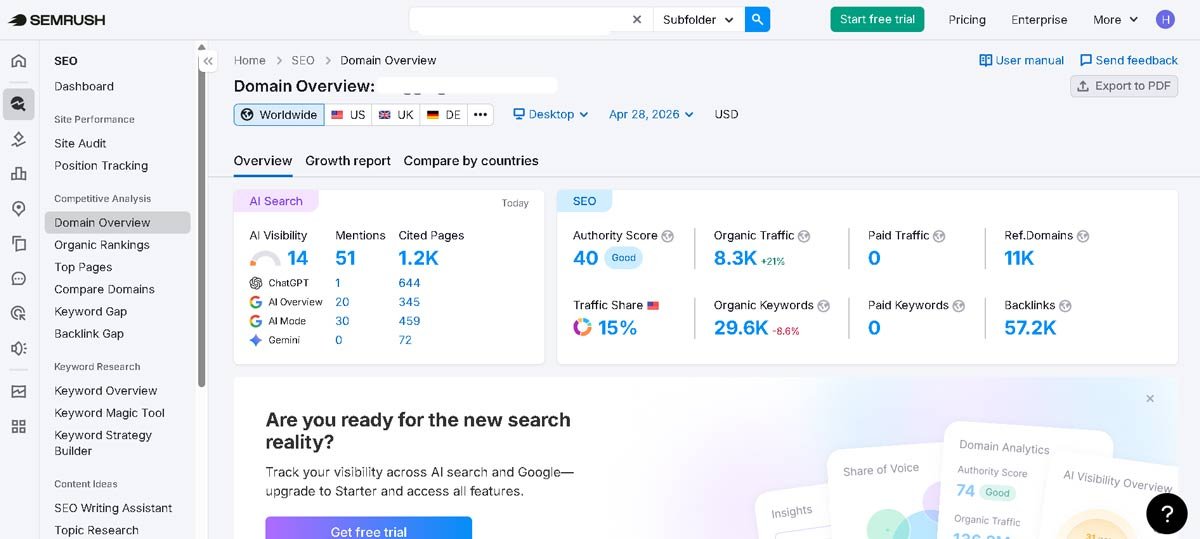
If you only try one tool from this entire list, make it Semrush.
The free version gives you ten searches per day. That sounds limiting until you realize most bloggers only need to check three or four competitors at a time. Ten searches is genuinely enough to build a solid strategy across a few sessions.
Here is what the free version actually shows you for any competitor domain:
- Their top organic keywords with search volume and current position
- Estimated monthly traffic to their site
- Their top performing pages by organic traffic
- A basic backlink overview
- Keyword gap comparison between your domain and theirs
The keyword gap tool free feature is the one I use most on TechEntires. You enter your domain and a competitor domain side by side, and Semrush shows every keyword they rank for that you currently do not. This free keyword gap analysis alone is worth the account signup. You are looking directly at proven topics with real search demand that your competitor has already validated for you.
What Semrush Free Locks Away: Historical data beyond a short window, full backlink profiles, position tracking over time, and more than 10 requests per day.
Paid Plan: Starts at $139.95/month. Worth it only when you are ready to scale.
Who Should Use It: Any blogger who wants the most complete picture of a competitor’s keyword strategy within the limits of a free account.
2. Ahrefs: Best for Content Gap Audits & Traffic Potential
Ahrefs excels at identifying missed organic opportunities through its powerful Content Gap feature. By entering competitor URLs into Site Explorer, you receive an exact list of keywords driving traffic to rival domains while your site ranks nowhere in sight.
Rather than looking solely at single search volume figures, Ahrefs’ signature Traffic Potential metric shows you the total monthly traffic a target page receives across its entire keyword cluster.
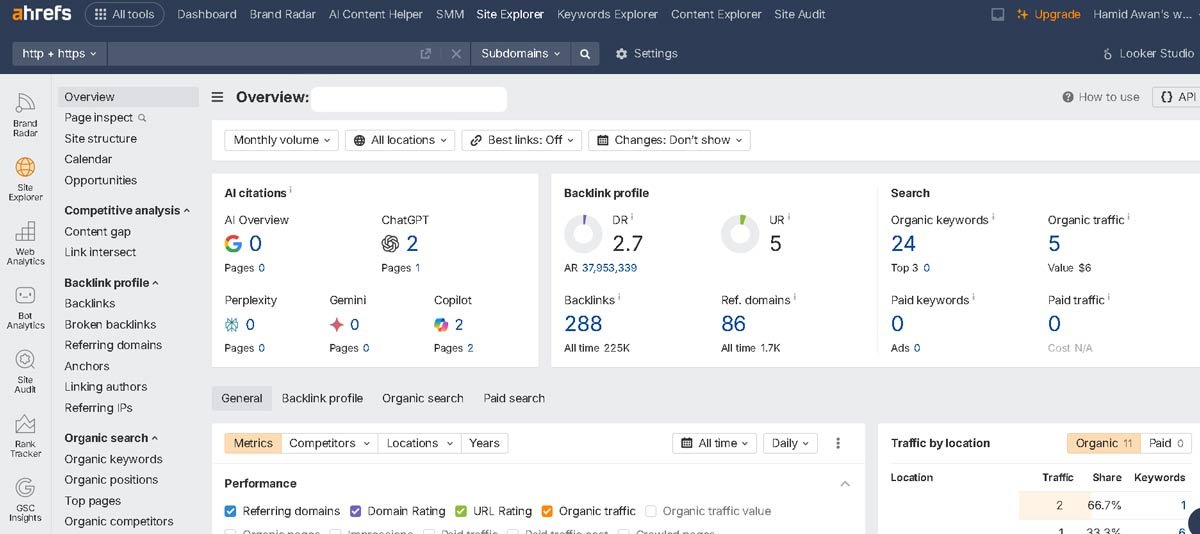
Ahrefs gets a bad reputation for being expensive, and the paid plans are. But the free Webmaster Tools version is genuinely underrated, especially for backlink health and keyword tracking on your own domain.
I use the Ahrefs free version specifically to check two things. First, which keywords a page ranks for and how positions have shifted recently. Second, what backlinks are pointing to my domain and whether any of them look suspicious.
When I find a website sending thousands of low-quality links to TechEntires, Ahrefs surfaces it quickly. I check the referring domains, look at the domain authority of those sites, and if something looks spammy I work on removing or disavowing that link before it quietly tanks my rankings. This is a real, practical use case the free tier handles well.
For competitor research, the free Site Explorer shows the top keywords any competitor page or domain currently ranks for. It is limited compared to the paid version, but the top keywords alone are often enough to understand what a competitor’s best performing content is targeting.
What Ahrefs Free Locks Away: Full keyword exports, complete backlink data, keyword difficulty scores, and historical ranking changes.
Paid Plan: Starts at $129/month.
Who Should Use It: Bloggers who want to manage their backlink profile and do keyword research in one place.
3. Google Search Console The Free Tool Most Bloggers Underuse
Google Search Console (GSC) provides first-party search data directly from Google’s own database, making it an indispensable part of any SEO workflow. While GSC doesn’t track external rival domains, it is the most accurate tool for performing an internal keyword gap analysis.
By filtering your performance reports for search queries driving high impressions but sitting in positions 11 to 20, you can identify low-hanging content update opportunities that can quickly move your pages onto Page 1.
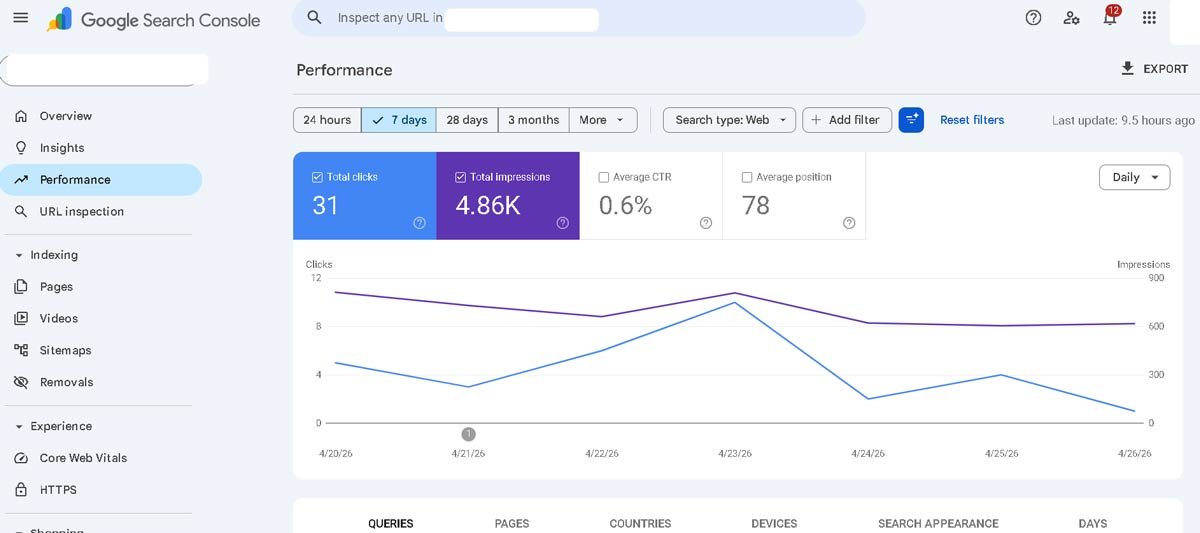
This one is free forever. No search limits. No upgrade prompts. And it is the most accurate SEO data source you will ever have because it comes directly from Google itself.
Search Console does not show competitor data, so why is it on this list?
Because before you research competitors, you need to know your own baseline. Search Console tells you exactly which keywords are bringing impressions to your site, which ones dropped in position recently, and which pages are getting shown in search but not clicked. That last part is critical.
I check Search Console on TechEntires regularly for one specific thing: keywords sitting between position eleven and twenty. These are pages close to page one but not quite there. A targeted content update on those specific pages is almost always faster than writing something brand new from scratch.
Used alongside any competitor analysis tools free on this list, Search Console becomes the anchor of your entire SEO workflow.
What It Cannot Do: Show you anything about competitor domains. For that you need the other tools in this list.
Who Should Use It: Every single blogger with no exceptions. If Search Console is not set up on your site right now, stop reading this and do that first.
4. Ubersuggest: Best Free Competitor Keyword Research Tool for Beginners
Ubersuggest by Neil Patel delivers straightforward competitor insights without a steep learning curve. By entering a competitor’s URL into the search bar, you instantly see their estimated monthly traffic, top-performing pages, and exact organic keyword rankings.
With its accessible daily free plan, Ubersuggest is a practical starting point if you want to check competitor keywords free and generate quick content ideas.
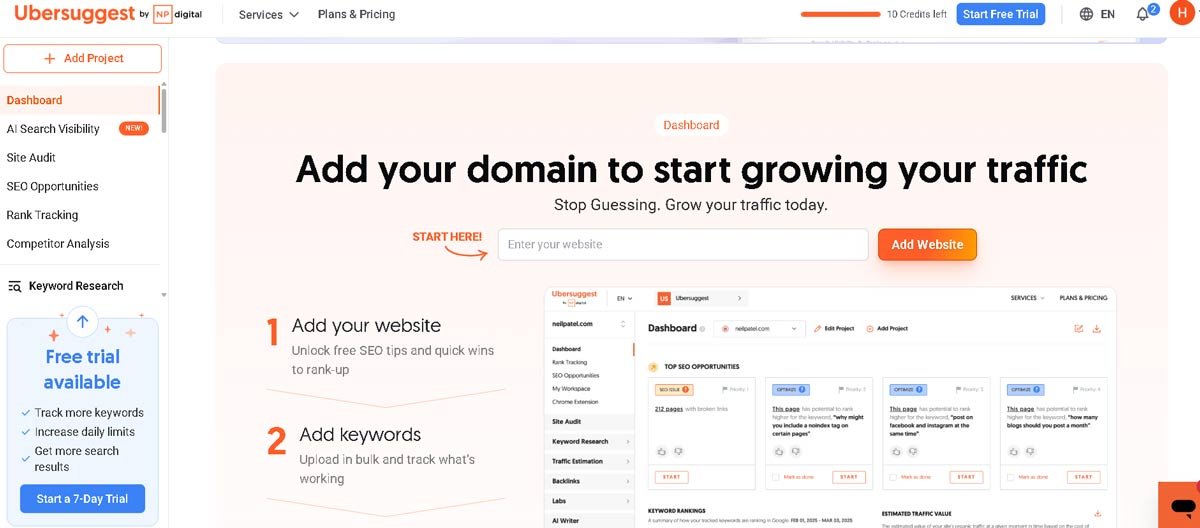
Neil Patel built Ubersuggest specifically for people who want useful SEO data without the complexity of enterprise tools. The free version reflects that intention. It is clean, easy to understand, and gives you a solid overview of competitor keywords without requiring an SEO background to interpret the results.
The free tier lets you search a competitor domain and see which keywords they rank for, their estimated monthly traffic, and the difficulty score of individual keywords.
You also get a basic content ideas section that shows the top performing articles for any keyword you search, which is useful when planning what to write next.
For anyone doing keyword research for new bloggers specifically, Ubersuggest is the most beginner-friendly option on this entire list. Everything is labeled in plain English. Difficulty scores come with explanations.
And the content ideas section shows you what format and depth Google is currently rewarding for a particular topic, so you are not writing blind.
What Ubersuggest Free Locks Away: Unlimited daily searches, full keyword lists, rank tracking beyond three keywords, and historical data.
Paid Plan: Starts at $29/month with a lifetime deal at $290 genuinely worth considering for solo bloggers.
Who Should Use It: Bloggers brand new to keyword research who want a tool that explains what the data means, not just shows raw numbers.
5. SpyFu: Fast Free Competitor Keyword Checker & PPC History Tracker
SpyFu specializes in uncovering years of historical search data, making it ideal for both SEO and Google Ads competitor research.
Simply enter any rival domain, and SpyFu instantly displays every keyword they’ve ever bought on AdWords, their organic search rankings, and every ad variation they’ve run over the last decade. It is a go-to choice when you need to reveal profitable commercial keywords without paying high enterprise fees.
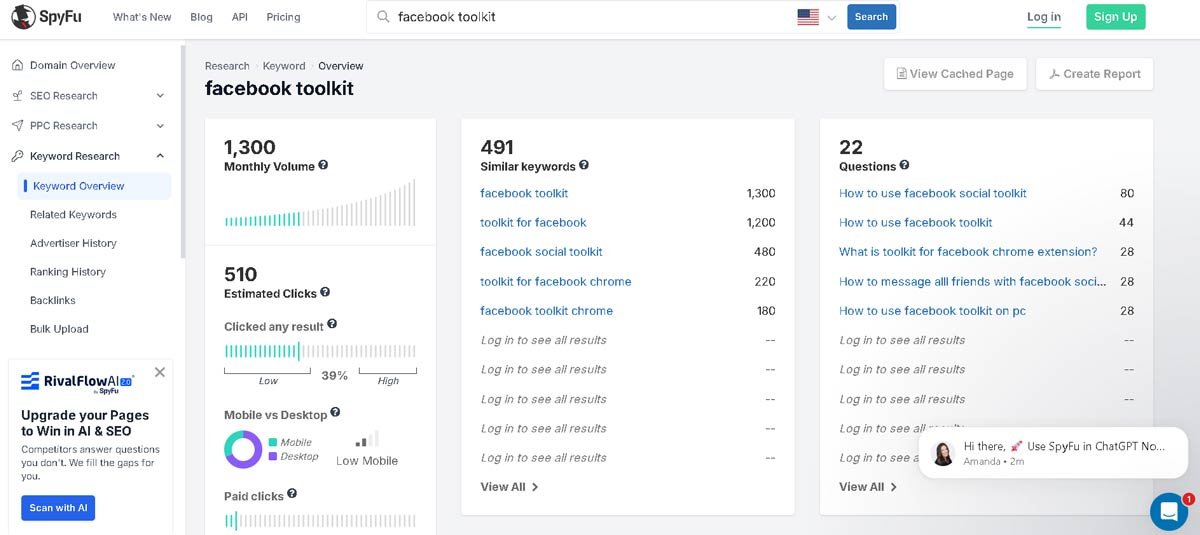
SpyFu does one thing better than almost every other tool: it lets you spy on competitor keywords free going back many years without a paid account. The free version limits you to the top five to ten keywords per competitor, but those top keywords alone reveal a lot about a blog’s content strategy.
Enter any competitor blog URL into SpyFu and within seconds you see their best performing organic keywords, estimated traffic, and which pages rank for what. It also surfaces their paid keyword history if they run Google Ads, and paid keywords with long histories usually signal high-converting topics worth targeting organically.
SpyFu is not as deep as Semrush for overall competitor analysis, but it is significantly faster. When I want a quick snapshot of what a competitor is known for ranking, SpyFu gives me that in about thirty seconds without burning one of my daily Semrush requests.
What SpyFu Free Locks Away: Full keyword lists beyond the top results, unlimited exports, detailed PPC ad history, and backlink data.
Paid Plan: Starts at $39/month one of the more affordable premium upgrades on this list.
Who Should Use It: Bloggers who want fast, no-friction competitor keyword snapshots without setting up a full account first.
6. KWFinder by Mangools: Best for Fast SERP & Keyword Difficulty Analysis
KWFinder is built specifically for spot-checking long-tail competitor keywords with unmatched clarity. Its clean dashboard breaks down exact search volume trends, keyword difficulty index, and top-ranking SERP positions in seconds.
Entering a rival domain quickly reveals low-competition keywords where top competitors are ranking without strong backlink profiles, making them easy targets to outrank.
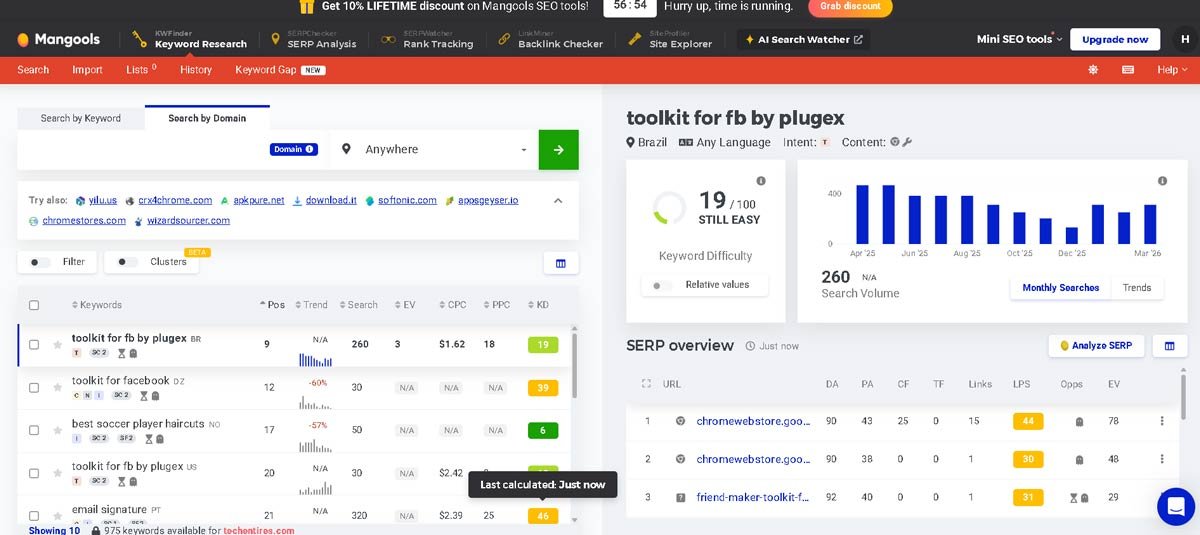
Mangools is not free forever, but their ten-day free trial gives you complete access to every feature including KWFinder, SERPChecker, and their competitive research tool. No credit card required.
If you use those ten days strategically, you can do a deep competitor analysis across your entire niche, find your best keyword opportunities, and build a content plan that covers months of publishing.
KWFinder specifically is one of the most accurate keyword difficulty tools available. It calculates difficulty based on the actual strength of pages currently ranking for that keyword, not a generic formula. For bloggers trying to find keywords they can realistically rank for on a smaller site, that accuracy matters more than having the largest database.
What Mangools Locks Away After Trial: Everything. After ten days the full tool goes behind the paywall. Go in with a clear competitor list and extract as much as possible before the trial ends.
Paid Plan: Starts at $29/month with 35% off annual billing.
Who Should Use It: Bloggers ready to do a serious competitor keyword deep-dive who want ten days of professional-grade data to plan their entire content strategy.
7. Google Keyword Planner: Free Tool for PPC Competitor Research
Google Keyword Planner (GKP) is Google’s proprietary keyword platform, providing direct first-party search data straight from the source.
While originally built for Google Ads advertisers, typing competitor domain URLs into GKP’s “Start with a website” tool extracts the exact search queries Google associates with that competitor’s brand. It is an indispensable, completely free starting point for mapping out foundational search volume and commercial intent.
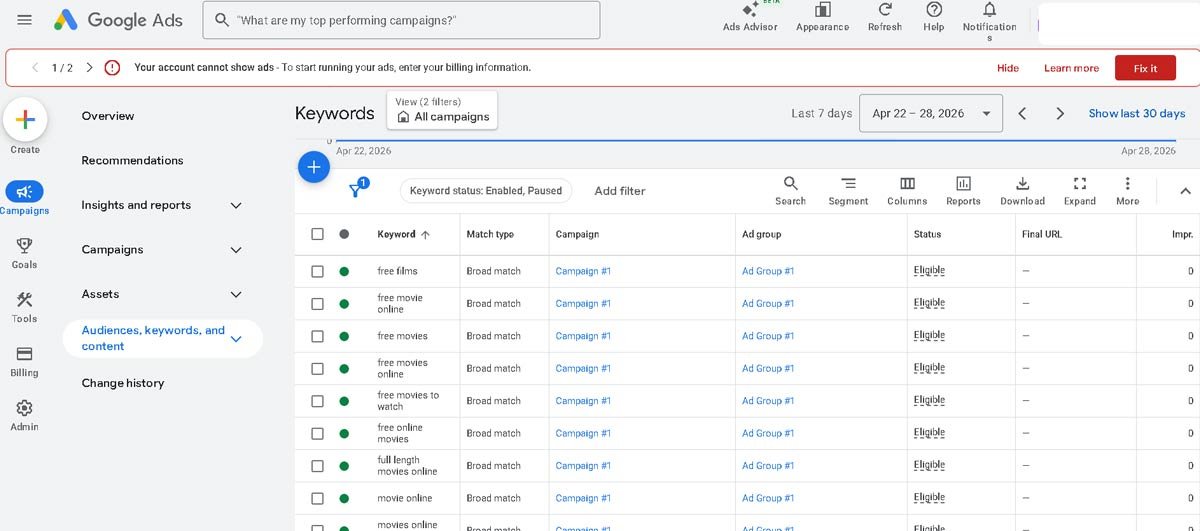
Google Keyword Planner is built for Google Ads users, but bloggers have been quietly using it for organic keyword research for years. The data comes directly from Google, which makes it the most reliable source of search volume estimates available completely for free.
The feature most bloggers miss is the “Start with a Website” tab. You enter a competitor’s full domain or a specific page URL and Google Keyword Planner pulls a list of keywords that site is targeting. You then get search volume ranges, competition level, and seasonal trend data for each keyword.
It is not as polished as Semrush or Ahrefs and the search volume data shows ranges rather than exact numbers on a free account. But for validating whether a keyword actually gets searched and understanding its seasonal patterns, Google Keyword Planner is hard to beat because the data source is Google itself.
What It Locks Away: Exact search volume numbers without an active Google Ads campaign, and deep competitor position data.
Paid Plan: Free forever. Running actual ads unlocks more precise volume data.
Who Should Use It: Bloggers who want to verify search demand directly from Google before committing to writing an article around a keyword.
8. Similarweb Free Best for Understanding Competitor Traffic Sources
Similarweb provides a high-level overview of digital traffic and audience insights across whole domains. Beyond standard search volume figures, it reveals where your competitors get their visitor traffic, whether through organic search, paid ads, direct visits, or referral links.
It is a valuable platform when you need to evaluate competitor market share, identify top-performing traffic acquisition channels, and pinpoint high-converting commercial topics in your niche.
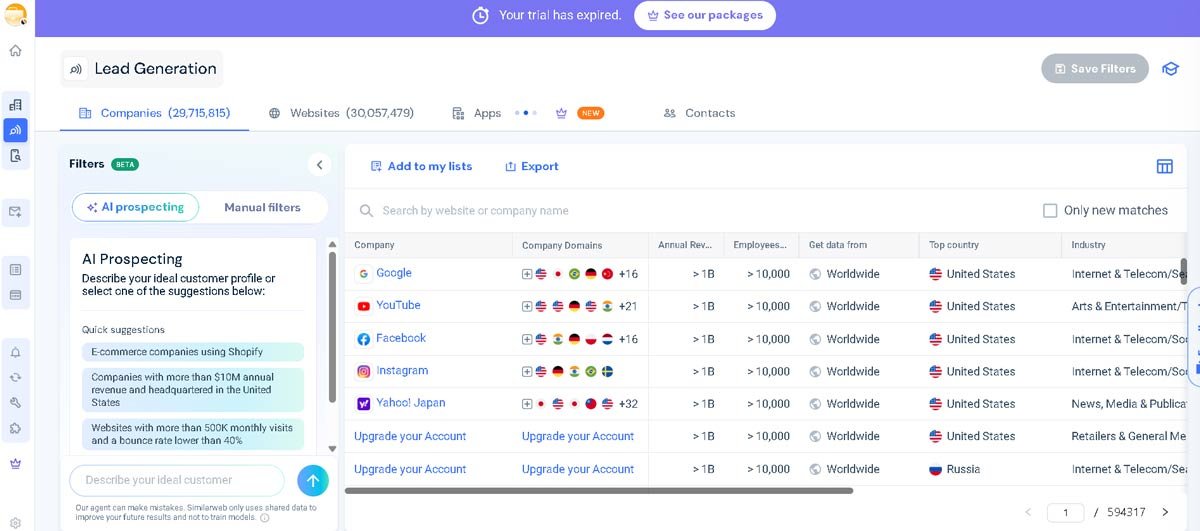
Most keyword tools tell you what keywords a competitor ranks for. Similarweb tells you something different and equally valuable: where their traffic actually comes from, and how much of it is search versus social versus direct.
The free version shows a competitor site’s top five organic keywords, estimated monthly visits, traffic source breakdown, and which countries their audience comes from. That traffic source breakdown is more useful than it sounds. If a competitor blog is getting 70% of their traffic from organic search and you are getting 20%, that gap tells you something important about how they have built their content strategy differently from yours.
For blogger-to-blogger competitive research, Similarweb also shows which pages drive the majority of traffic to a competitor’s site. Knowing which three articles are pulling most of their visitors tells you exactly what topics their audience cares about most.
What Similarweb Free Locks Away: Full keyword lists beyond the top five, historical data beyond one month, and detailed audience demographic data.
Paid Plan: Starts at $125/month for the Starter plan.
Who Should Use It: Bloggers who want a birds-eye view of how a competitor blog is built before diving into specific keyword research.
9. Wordstream / Wordtracker: Fast Alternative to Find Competitors Keywords Free
Wordtracker provides specialized search engine data distinct from standard Google-focused databases.
By pulling live query data across Google, Amazon, YouTube, and eBay, Wordtracker gives e-commerce site owners a clear view of commercial search intent across platforms. It offers a fast way to find competitors keywords free and identify high-intent buyer terms that typical SEO tools miss.
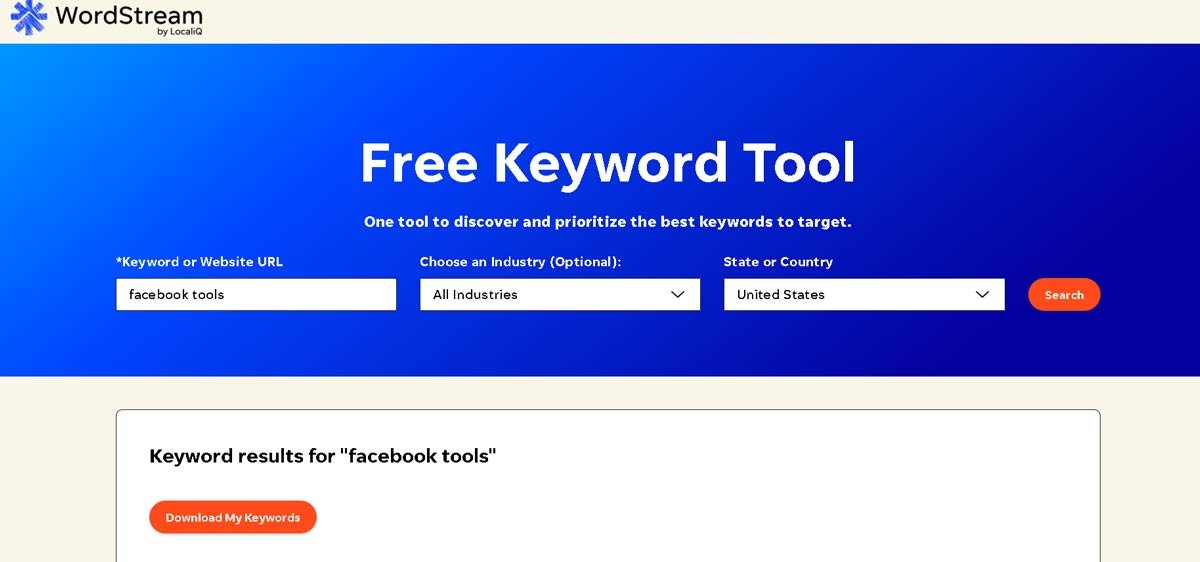
Wordstream is the fastest tool on this list for one specific task: getting an instant keyword list for any competitor URL with zero account setup required.
Go to wordstream.com/keywords, enter a competitor’s website address, choose your industry and location, and within seconds you have a downloadable list of keywords that site targets. You can get the full list sent directly to your email without creating a paid account.
It does not show ranking positions. It does not track anything over time. What it does is give you a raw keyword list faster than any other tool on this list, which makes it useful as a first pass before you go deeper with Semrush or Ahrefs.
What Wordstream Free Locks Away: Competitor ranking positions, exact search volume data, and keyword difficulty scores. The tool is intentionally simple.
Paid Plan: Wordstream’s paid product focuses on Google Ads management rather than organic SEO research.
Who Should Use It: Bloggers who want a fast, zero-friction starting list of competitor keywords before deciding which deeper tool to use next.
10. Keyword Surfer Free Keyword Research Without Leaving Google
Keyword Surfer is a free Google Chrome extension that embeds keyword intelligence directly inside your search engine result pages.
As you search Google, it displays estimated monthly search volumes, matching long-tail keyword suggestions, and page-level word count estimates directly under search listings.
It offers a fast way to check competitor keywords free and analyze topic coverage on the fly without logging into a separate dashboard.
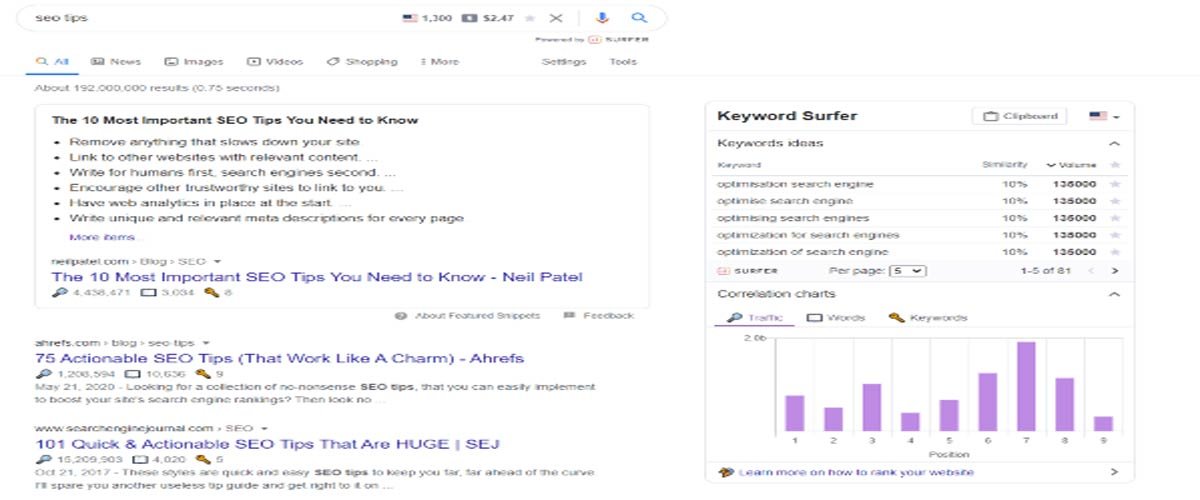
Keyword Surfer is a free Chrome extension that adds keyword data directly inside your Google search results.
You search for anything on Google and Keyword Surfer shows you the monthly search volume for that keyword, related keyword suggestions in the sidebar, and estimated organic traffic for every page currently ranking on page one.
For competitor research specifically, this means you type any keyword into Google and immediately see how much traffic the top ranking pages are likely getting.
If a competitor article is estimated to pull 3,000 monthly visits and yours on the same topic pulls 40, that gap tells you something important about the content quality or keyword targeting difference between the two pages.
Because it runs inside Google search itself, Keyword Surfer fits naturally into the research habit most bloggers already have. You are already Googling topics to check competition. Now you get real data alongside every search without opening a separate tool or burning a free search limit.
What Keyword Surfer Locks Away: Deep competitive analysis, historical data, and backlink metrics. It is a surface-level tool, not a replacement for Semrush or Ahrefs.
Paid Plan: The basic extension is free. Surfer SEO’s full content optimization platform starts at $99/month.
Who Should Use It: Bloggers who want keyword data integrated into their everyday Google browsing without switching between multiple tabs and tools..
Frequently Asked Questions (FAQs)
How can I check competitor keywords for free?
You can check competitor keywords for free using webmaster tools and trial accounts. Tools like Semrush Free allow up to 10 searches per day, while Ubersuggest and SpyFu provide free daily snapshots of top-ranking organic keywords.
Additionally, you can paste a competitor URL into Google Keyword Planner under “Start with a website” to see the search terms Google associates with their domain without paying a dime.
What is the best free competitor keyword research tool for bloggers?
The best overall free competitor keyword research tool is Semrush Free. It provides a comprehensive Keyword Gap Analysis tool that lets you compare your blog directly against competitors to discover missing search terms.
For beginners looking for an easy-to-read interface, Ubersuggest and Ahrefs Webmaster Tools are excellent alternatives.
How do I perform a competitor keyword gap analysis without paid tools?
To perform a free competitor keyword gap analysis:
1. Identify 2–3 rival blogs ranking on Page 1 for your main topic.
2. Use a free tool like Semrush Keyword Gap or SpyFu to compare your domain against theirs.
3. Filter the results for Missing or Untapped keywords with low-to-medium keyword difficulty scores.
4. Export the list and create targeted content addressing the specific search intent your competitors missed.
Can I find competitors’ keywords using Google Search Console?
While Google Search Console (GSC) does not directly show your competitors’ site metrics, you can use it to find overlapping opportunities.
Sort your GSC Performance report by Impressions and look for search queries where your page sits in positions 11–30. Search those exact terms on Google to analyze the top-ranking competitors on Page 1, then update your content to cover the gaps they address.
Are free keyword research tools accurate enough for SEO strategy?
Yes, free keyword research tools are accurate enough to build a successful SEO strategy. Primary search platforms like Google Keyword Planner and Google Search Console provide first-party search data directly from Google.
Free versions of premium tools (like Semrush and Ahrefs) pull from the exact same databases as their paid plans, they simply limit the number of daily queries or results exported.
Which Free Tool Should You Start With?
Never done competitor keyword research before: Start with Ubersuggest. It is the most beginner-friendly SEO tool for bloggers on this list and the data is explained in plain English.
Ready to do serious competitor research today: Use Semrush free. Ten searches per day is enough to build a solid keyword gap list across a full week.
Backlinks are hurting your site: Open Ahrefs Webmaster Tools right now. Check your referring domains and find any sites sending suspicious link volumes to your domain.
Want ten days of professional-grade data: Start a Mangools free trial, go in with a clear competitor list, and extract everything before the trial ends.
Want to spy on competitor keywords free with no account: SpyFu gives you that in thirty seconds with zero signup required.
Want keyword volume data straight from Google: Google Keyword Planner is the most reliable free source and it is always up to date.
Want traffic source data on a competitor blog: Similarweb free gives you that overview instantly.
Want keyword data while browsing Google normally: Install Keyword Surfer. It takes two minutes and adds value to every search you do.
Final Thoughts
You do not need to spend money to start understanding what your competitors are doing in search. Every tool in this list of free competitor keyword research tools for bloggers gives you something real and actionable without a subscription.
The bloggers winning on Google right now are not necessarily the ones with the biggest budgets. They are the ones who consistently study what is working in their niche, find the gaps their competitors missed, and create content that genuinely answers what their audience is searching for.
Start with the free version. Learn what the data is telling you. Then when you are ready to go deeper, you will already know which tool is worth paying for because you will have used it enough to see the value firsthand.
That is a much smarter investment than guessing which $200/month platform to buy on day one.
Have a question about using any of these tools? Drop it in the comments and I will answer from real experience, not a spec sheet.

You’re so right about fixing those three problems! Free tools really do give you an edge.