Why most WordPress blogs have an internal linking problem
Most bloggers write a post, hit publish, and move on. Maybe they drop in one or two links to older articles whatever came to mind while writing. That is not a strategy. That is guessing.
And it is one of the main reasons well-written posts end up stuck on page three. Not because the content is bad. Because Google cannot figure out where that post fits, how important it is, or how it connects to everything else on the site.
Internal linking for WordPress SEO is one of the few ranking levers entirely within your control it costs nothing, needs no outreach, and directly affects how Google crawls, understands, and ranks every page on your site.
In 2026, this matters more than it ever has. AI Overviews and generative search engines now use your site’s internal link structure as a content retrieval map not just a crawling aid.
A coherent, hierarchical link structure tells these systems which pages are most authoritative on each topic, making you more likely to be cited in AI-generated answers alongside traditional organic rankings.
This guide covers the full WordPress internal linking strategy for 2026 how internal links actually work, the pillar-cluster structure that Google rewards, anchor text rules, how many links per post, the best plugins, and how to fix orphan pages that are silently killing your traffic.
Quick self-test: open Google Search Console, go to Pages, and filter by ‘Crawled currently not indexed’. If that list contains posts you want to rank, check how many internal links those posts have pointing to them from other pages on your site. In most cases the number is zero or one. That is your problem.
What internal links actually do for your WordPress SEO
An internal link is a hyperlink from one page on your site to another page on the same site. Simple. But what those links do for internal links SEO WordPress performance operates on three levels simultaneously.
They help Google discover and prioritise your content
Googlebot follows links. A post with no internal links pointing to it may be discovered once, rarely revisited, and eventually deprioritised.
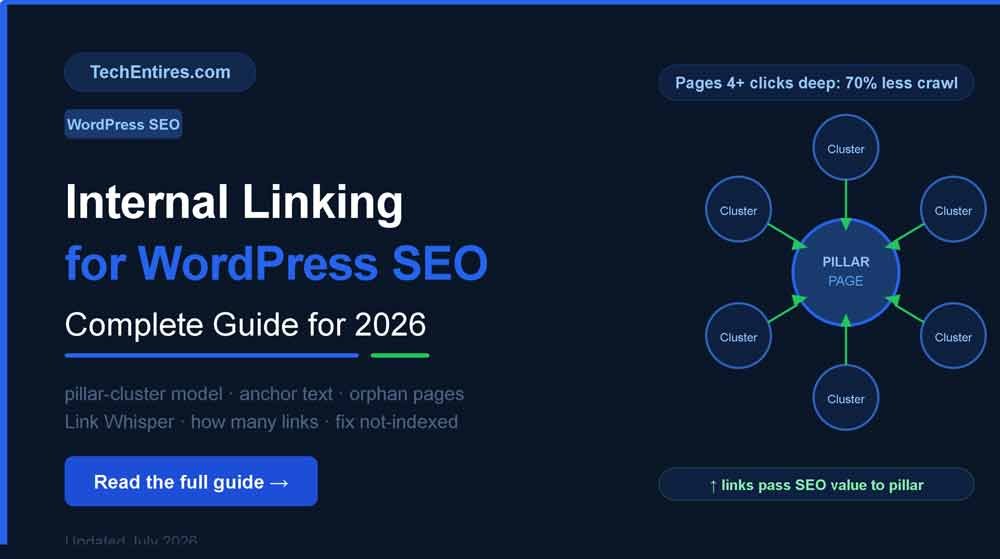
According to 2026 research, pages four or more clicks deep from your homepage see approximately 70% less crawl frequency than pages within two clicks. That is not a minor difference it is the difference between a page being crawled daily and being crawled once a month.
Every contextual internal link you add from an established, frequently crawled page is a direct invitation for Googlebot to visit the destination page sooner and more often. This is the most immediate and controllable crawl budget WordPress improvement available no technical changes required. See the full crawl budget guide for how crawl frequency affects indexing.
They distribute link equity across your site
Every external backlink you earn passes authority to the specific page it points to. Internal linking then redistributes that link equity throughout your site.
A high-authority page with many backlinks your pillar page, your most-linked guide can funnel some of that authority to newer or weaker pages through contextual internal links.
This is what people mean when they talk about page authority distribution: authority is not trapped on one page, it flows through your internal link structure.
They signal topical authority to Google’s systems
Google’s algorithms in 2026 assess topical authority at the site level not just the page level. A cluster of interlinked posts all covering the same subject signals that your site is a genuine expert on that topic.
A scattered collection of unlinked posts on the same subject sends no such signal. Internal linking for WordPress SEO is how you build topical authority without earning a single new backlink, simply by connecting what you have already written.
2026 context: AI platforms including ChatGPT and Perplexity drove over 1.13 billion referral visits in June 2025 alone (omarelshair-seo.com, July 2026). These systems cite sources based on the same structural authority signals that traditional search uses a well-interlinked content cluster is more likely to be selected as a source by both Google’s AI Overviews and conversational AI systems. Your internal link structure is now a content retrieval architecture question, not just an SEO tactic.
Combined with a strong backlink strategy see our link building guide internal linking completes the full authority-building picture.
The pillar-cluster model the internal linking structure that works in 2026
Random links between posts is not a strategy. What works and what Google now actively rewards through topical authority signals is a deliberate content architecture called the pillar-cluster model, combined with a WordPress internal linking strategy that follows clear directional rules.
- Pillar page a comprehensive guide covering a broad topic in depth. This is the page you most want to rank and the one all authority flows toward. Example: ‘Complete Guide to WordPress SEO’.
- Cluster pages focused articles each covering a specific sub-topic within the broader theme. Example: ‘WordPress Internal Linking Guide’, ‘How to Speed Up WordPress’, ‘Best WordPress SEO Plugins’. Each targets a specific long-tail keyword.
- Linking direction every cluster page links back to the pillar using contextual, descriptive anchor text. The pillar links to every cluster page. Related cluster pages link to each other when there is genuine topical relevance.
This structure does three things at once: it signals to Google which content is most important (the pillar), shows how your content relates to itself (the cluster), and ensures no post sits as an orphan with nothing pointing to it.
A site with 15 deeply interlinked posts on one specific topic will consistently outrank a site with 100 scattered, unconnected posts on the same topics because Google reads depth of coverage, not volume.
Anchor text rules for WordPress internal links in 2026
Anchor text is the clickable text of a link. Google uses it as a direct relevance signal about what the target page covers. This is the most commonly wasted opportunity in internal linking WordPress guide discussions most bloggers use ‘click here’, ‘read more’, or ‘this article’. These tell Google absolutely nothing.
| Anchor text type | Example | Signal to Google |
| ❌ Wrong | ‘Click here’ / ‘Read more’ | Nothing completely wasted opportunity |
| ❌ Wrong | ‘This article’ | Nothing useful |
| ✅ Right exact match | ‘how to build a high traffic blog’ | Clear, direct topic signal |
| ✅ Right partial match | ‘building a high traffic WordPress blog’ | Natural variation, reduces over-optimisation risk |
| ✅ Right descriptive | ‘complete guide to WordPress speed’ | Confirms the destination’s topic precisely |
One critical rule: vary your anchor text across different posts. If every link pointing to your best WordPress plugins guide uses the exact phrase ‘best WordPress plugins’ every time, Google reads that as over-optimisation. Mix exact-match, partial-match, and descriptive natural phrases.
If it reads naturally to a human, it reads naturally to Google. As Google has confirmed publicly, anchor text is one of the strongest on-page signals for helping their systems understand what the linked page is about.
How to add internal links in WordPress step by step 2026

The mechanics are simple. The decisions around them require more thought.
In the Gutenberg block editor
- Highlight the anchor text in your paragraph the descriptive phrase you want to hyperlink.
- Press Ctrl+K (or Cmd+K on Mac) to open the link panel.
- Type a few words from the target post’s title WordPress will search your existing posts and suggest matches.
- Select the correct post from the dropdown and press Enter.
- Confirm ‘Open in new tab’ is OFF for internal links same-tab links are correct for internal navigation.
The skill is not in the mechanics. It is in knowing which pages to link to, what anchor text to use, and where to place the link in the content.
A link early in the article (first 30% of content) carries slightly more weight than a link buried at the bottom so if a link is genuinely relevant, place it where it naturally fits in the reading flow, not relegated to a ‘related posts’ list at the end.
When to add internal links
- On every new post you publish go back to your five most relevant existing posts and add a link to the new one. This is the fastest way to get a new post noticed by Google quickly, because you are passing authority from indexed, established pages to the new URL.
- When updating old posts any refresh of existing content is an opportunity to add links to newer posts that did not exist when the original was written.
- After building your pillar page add links to your pillar from every relevant cluster post in one session, then submit the pillar for reindexing in Google Search Console.
How many internal links per blog post in WordPress?
How many internal links per blog post WordPress sites should aim for is a common question and Google has confirmed there is no hard limit. The right number is whatever genuinely serves the reader without feeling forced.
| Post length | Recommended internal links | Reasoning |
| Under 1,000 words | 2–4 links | Fewer natural opportunities avoid overlinking short content |
| 1,000–2,000 words | 4–7 links | Standard blog post plenty of natural linking context |
| 2,000–3,500 words | 7–12 links | Pillar content with multiple sections naturally supports more |
| 3,500+ words | 10–15 links | Comprehensive guides benefit from frequent signposting |
What to avoid: stuffing ten links into a 400-word post. It dilutes the authority each link passes and makes the post harder to read. Quality over quantity one well-placed, descriptive link to a highly relevant page is worth more than five forced links to loosely related content.
One common mistake: linking to the same post too many times within one article. Once or twice is fine. Beyond that, the additional links add no SEO value and read as repetitive to the user. Spread your links across different target pages within each post.
Best WordPress plugin for internal linking in 2026
For sites under 50 posts, manual linking is often the smarter approach it keeps you intentional about every decision. Once your site grows past 100 posts, finding and adding link opportunities manually becomes a serious time problem. These three plugins cover the most common needs:
Link Whisper best for real-time suggestions
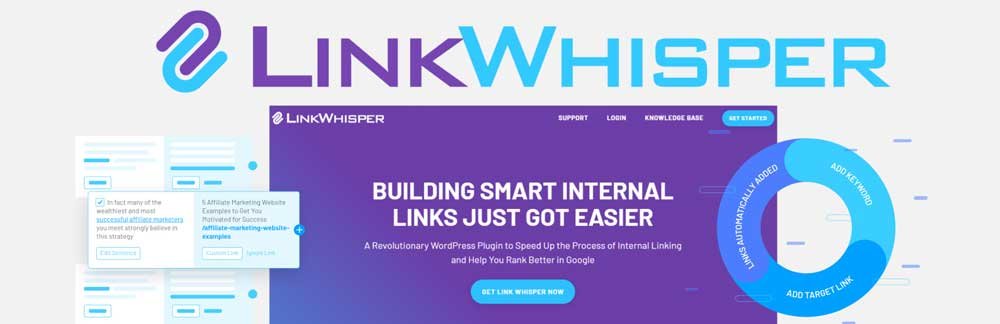
As you write or edit a post, Link Whisper scans your existing content and suggests relevant internal links directly inside the WordPress block editor. You accept or ignore each suggestion you stay fully in control.
It also surfaces your orphan pages and shows exactly which posts have no links pointing to them. The best internal linking plugin WordPress users consistently recommend for sites with 50 to 500+ posts. Paid plugin, widely regarded as the most focused internal linking tool for WordPress in 2026.
Internal Link Juicer best for automation at scale
You configure target keywords for each post and the plugin automatically creates internal links throughout your content whenever those keywords appear. Built specifically for performance with zero impact on frontend load times.
Free version available with strong features. Pro version unlocks taxonomy linking and advanced controls. Best for sites with 100+ posts where manual linking is impractical.
Yoast SEO Premium best if you already use Yoast
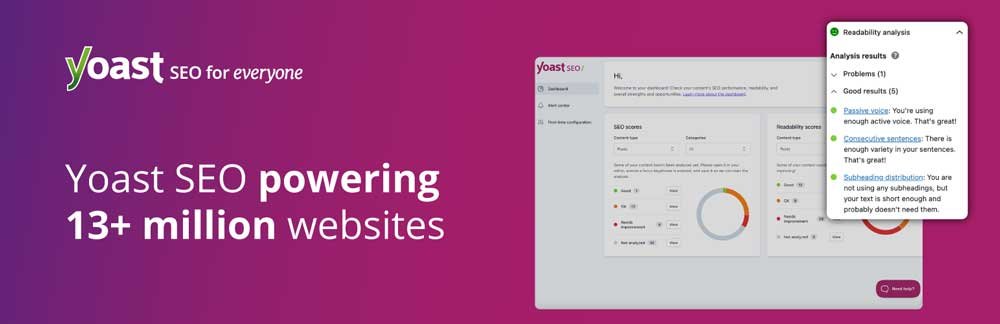
Yoast’s premium tier includes an internal linking suggestions panel that recommends relevant posts as you write. If you are already paying for Yoast Premium for its other features, the internal linking suggestions are a useful addition.
If you are choosing a plugin purely for internal linking, Link Whisper is more focused and more capable at the specific task. Full WordPress SEO plugin comparison is in our guide.
How to fix orphan pages in WordPress why they kill indexing
An orphan page is a post or page with zero internal links pointing to it from anywhere else on your site. Google crawls them occasionally, finds no signals of importance from the surrounding site structure, and consistently deprioritises them for indexing.
If you have checked your Google Search Console and found posts in ‘Crawled currently not indexed’, orphan pages are one of the most common causes. The fix is straightforward: find them and add contextual internal links from at least two or three relevant indexed posts.
How to find orphan pages on your WordPress site:
- Link Whisper orphan page report the fastest method. Shows every post with zero inbound internal links in a single dashboard view.
- Screaming Frog (free up to 500 URLs) crawl your site and filter for pages with no inbound internal links.
- Google Search Console posts listed as ‘Crawled currently not indexed’ that have been published for more than two weeks are strong orphan page candidates. Cross-reference with your actual post list.
Once identified: go to your 3–5 most relevant indexed posts and add a contextual link to the orphan page from each one. Check whether your crawl budget is also contributing to the problem see the full guide.
Internal linking mistakes that quietly hurt your WordPress SEO
- Using ‘click here’ as anchor text. Rewrites to a descriptive phrase take ten seconds and are always worth it. Every wasted anchor is a missed relevance signal.
- Linking only to your newest posts. New posts need links but so do your older evergreen articles that are already ranking. Link to what is most relevant, not what was published most recently.
- Never linking to your homepage or category pages. These are often your highest-authority pages. Contextual links to them from blog posts pass real authority and help reinforce site-level topical signals.
- Over-optimising anchor text. Using the exact same keyword phrase in every single link pointing to the same page looks manipulative. Vary your phrasing naturally.
- Ignoring broken internal links. A broken internal link wastes crawl budget and signals poor site maintenance. Run a broken link check quarterly using Screaming Frog or the Broken Link Checker plugin.
- Only linking from new posts never updating old ones. When you publish a new post, go back to your five most relevant existing posts and add a contextual link to the new one. This is the single fastest way to get a new post noticed by Google.
- Not auditing your link structure after content deletions. Every time you delete or redirect a post, any internal links pointing to it become 404 errors. Update those links to point to the new destination immediately.
Quick monthly routine: after publishing any new post, search your site using site:techentires.com keyword to find existing posts that mention the topic but do not link to your new post. Add those links. It takes 20 minutes and immediately strengthens your internal link structure.
Frequently Asked Questions
What is internal linking for WordPress SEO?
Internal linking for WordPress SEO is the practice of creating hyperlinks between pages on the same website to help Google understand your site structure, distribute link authority across pages, and guide visitors to relevant content.
A deliberate internal linking strategy particularly the pillar-cluster model signals topical authority to search engines and consistently improves rankings without requiring external backlinks or outreach.
How do I add internal links in WordPress step by step?
In the Gutenberg block editor: highlight the anchor text in your paragraph, press Ctrl+K to open the link panel, type a few words from your target post title, select the post from the dropdown, and press Enter.
Keep ‘Open in new tab’ switched off for all internal links. For sites with many posts, the Link Whisper plugin suggests relevant internal links directly inside the editor as you write, making the process significantly faster at scale.
How many internal links per blog post in WordPress?
There is no fixed Google-confirmed number. A practical guide: 2–4 links for posts under 1,000 words, 4–7 for standard 1,000–2,000 word posts, 7–12 for pillar content, and 10–15 for comprehensive guides over 3,500 words.
The actual test is whether each link feels natural and useful to a reader. If you are adding links just to hit a number, pull them back.
What is the best internal linking plugin for WordPress in 2026?
Link Whisper is the most focused and widely recommended internal linking plugin for WordPress in 2026 it suggests relevant links while you write and includes an orphan page report.
Internal Link Juicer is the best choice for automation at scale (100+ posts). Yoast SEO Premium includes linking suggestions if you already use Yoast for other features. For sites under 50 posts, manual linking with no plugin is often the most deliberate and effective approach.
What are orphan pages in WordPress and how do I fix them?
Orphan pages are posts or pages with no internal links pointing to them from other pages on your site. Google treats them as low priority, which is why they frequently appear in the ‘Crawled currently not indexed’ section of Google Search Console.
Fix them by identifying orphan pages using Link Whisper, Screaming Frog, or GSC, then adding 2–3 contextual internal links from your most relevant indexed posts to each orphan.
Does internal linking help with Google AI Overviews?
Yes. In 2026, AI platforms including ChatGPT and Perplexity drove over 1.13 billion referral visits in June 2025 and these systems use site structure and topical authority signals similar to traditional search.
A well-interlinked content cluster tells both Google’s AI Overviews and conversational AI systems that your site is a comprehensive, authoritative source on its topic making citation more likely. Your internal link structure is now both a traditional SEO signal and a content retrieval architecture question for AI systems.
For the complete guide to optimising for AI Overviews
How often should I audit my internal links in WordPress?
A simple monthly routine covers most needs: after publishing any new post, add links from 3–5 relevant existing posts to the new one. Check GSC monthly for any new ‘Crawled currently not indexed’ posts and confirm they have at least 2 internal links pointing to them. Run a full orphan page check and broken link audit quarterly using Screaming Frog or Link Whisper.
