The honest answer: yes, crawl budget exists but most blogs worry about the wrong thing
Crawl budget SEO comes up constantly in technical SEO conversations. It sounds serious, complicated, and urgent. The reality is more nuanced and knowing when crawl budget matters and when it does not will save you hours of unnecessary technical work.
Google’s official developer documentation states this directly: ‘If your site doesn’t have a large number of pages that change rapidly, or if your pages seem to be crawled the same day that they are published, you don’t need to read this guide.’ This is Google itself telling you that crawl budget is a concern for large, complex sites not for standard blogs and small business websites.
That said, crawl budget does exist, it is a real concept with real consequences, and for sites genuinely affected by it, understanding how to fix crawl budget issues for small blogs and larger sites alike can be the difference between pages getting indexed promptly and new content sitting undiscovered for weeks.
This guide covers exactly what crawl budget is, how to tell whether it is actually affecting your site, what is wasting it right now, and seven fixes that reliably improve it with verified data from real cases and Google’s own published guidance.
Quick self-test before reading further: open Google Search Console → Settings → Crawl Stats. If your pages are being crawled regularly and new posts appear in Google within a day or two of publishing, your crawl budget is fine. If new posts take weeks to appear and you have hundreds or thousands of pages, read on.
What is crawl budget in SEO?
Crawl budget SEO refers to the number of pages Googlebot is willing to crawl on your website within a given timeframe. Google does not announce this number or let you set it manually it is determined by two factors:
- Crawl rate limit the maximum speed Googlebot can crawl without overloading your server. Slow servers force slower Googlebot crawling, reducing pages crawled per day.
- Crawl demand how much Google wants to crawl your site based on perceived value and freshness. Popular, well-linked, frequently updated pages have high crawl demand. Thin pages with no backlinks have low crawl demand.
When combined, these two factors determine your crawl budget. Googlebot has a fixed time allowance per site per day. If it wastes that time on low-value pages session ID URLs, infinite parameter variations, thin archive pages, broken redirects it may not reach your most important new content at all.
| Factor | What increases it | What decreases it |
| Crawl rate limit | Fast server, stable uptime, good hosting | Slow server response, 5xx errors |
| Crawl demand | Quality backlinks, popularity, frequent updates | Thin content, no backlinks, duplicate pages |
| Combined budget | Clean architecture, strong internal linking | Redirect chains, orphan pages, URL parameter bloat |
Crawl budget vs crawl rate: crawl rate is the speed of Googlebot visits (requests per second). Crawl budget is the total volume of pages Google crawls per day. Improving server speed affects crawl rate. Improving content quality and architecture affects crawl demand and therefore total budget allocated to your site.
Does crawl budget affect SEO rankings directly?
This is the most misunderstood question about crawl budget and the answer requires separating two very different things.
According to bridgewaydigital.com’s April 2026 analysis: ‘Crawl budget does not directly affect your rankings. Google doesn’t rank a page higher just because it gets crawled more often. But crawl budget affects whether your pages get indexed in the first place and indexing is required for ranking.’
Does crawl budget affect SEO rankings? Not directly. But it controls the prerequisite for ranking. A page Google has not crawled cannot be indexed. A page not indexed cannot rank. If your crawl budget is wasted on low-value URLs, your most important pages may not get crawled frequently enough to stay current in Google’s index.
This is exactly why the ‘crawled but not indexed’ status in Google Search Console is so often a crawl budget symptom rather than a content quality issue alone. Google visited the page, assessed it as low priority, and chose not to invest indexing resources. Low domain authority also reduces crawl demand see what domain authority means and how to improve it.
See the full explanation of how internal linking increases crawl demand for specific pages.
Google crawl budget for small websites do you actually need to worry?
According to crawlwp.com’s February 2026 guide, which cites Google’s official documentation: sites under 10,000 pages generally do not need to worry about crawl budget. Google handles small sites fine.
If all of the following are true, crawl budget is almost certainly not your problem:
- Your site has fewer than 1,000 published pages
- New posts appear in Google within 1–3 days of publishing
- Your index coverage report shows no significant ‘Discovered currently not indexed’ backlog
- Server response time is under 500ms on average
- You have not recently undergone a major URL structure change
If those five conditions are met, time spent on crawl budget SEO is better invested in content quality, keyword research, and link building. Where crawl budget becomes a real problem:
- eCommerce with faceted navigation filter combinations create thousands of unique URLs Googlebot crawls individually.
- Sites that recently migrated URLs old URLs generating 404s or redirect chains waste budget on dead ends.
- WordPress sites with excessive archives every tag, category, author, and date archive creates additional crawlable URLs with no unique value.
- Session ID or tracking parameters in URLs ?sessionid=abc123 creates duplicate pages Googlebot treats as separate URLs.
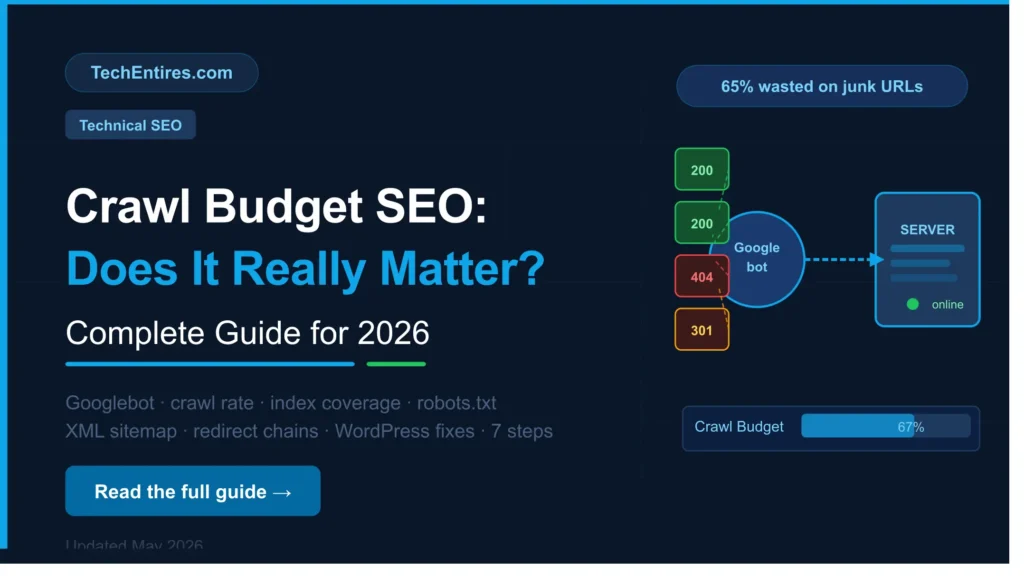
Real case study from Ranks Digital Media (January 2026): Googlebot was spending 65% of total crawl budget crawling internal site search URL variations (/search?q=…) for an enterprise eCommerce client. After blocking those parameters in robots.txt, newly added products began appearing in Google within 48 hours instead of weeks.
How to check crawl budget in Google Search Console
Before optimising anything, confirm whether you actually have a crawl budget problem. Exact steps:
- Open Google Search Console → Settings → Crawl Stats. This report shows daily crawl volume, response codes, and file types crawled over the past 90 days. A healthy site shows consistent daily activity with predominantly 200 status codes.
- Check response codes for 4xx and 5xx errors. High 404 volumes mean Googlebot is visiting deleted pages. High 5xx volumes mean your server is struggling. Both drain budget without producing indexable content.
- Open Index Coverage → filter by ‘Discovered currently not indexed’. A large backlog here is the clearest signal of crawl budget pressure on a growing site.
- Check what Googlebot crawls most by purpose. If the majority of crawl activity is on images, JavaScript, or CSS rather than your content pages, resources are consumed before reaching your most important URLs.
- Check crawl rate trends over time. A declining daily crawl count without a matching drop in your site’s total page count signals that Google has reduced the priority it assigns to your site.
7 proven ways to improve crawl budget in 2026
These fixes are ordered by impact for most sites. Work through them sequentially rather than jumping to the most technical ones first.
Fix 1: Speed up server response time
Crawl rate limit is determined largely by server speed. A case study reported by crawlwp.com (sourced from Hey Gee) found that reducing server response time from 3.2 seconds to 0.7 seconds achieved through better hosting and caching increased Google’s crawl rate by 280%. For WordPress sites: install a caching plugin, enable Gzip compression, use a CDN for static assets, and ensure your hosting plan matches your traffic level.
See the full W3 Total Cache setup guide for step-by-step caching configuration for WordPress.
Fix 2: Submit a clean, curated XML sitemap
Your XML sitemap tells Google which pages you want indexed. Most WordPress sites auto-generate sitemaps that include every page, tag archive, category archive, author page, and date archive signalling all of these are equally important, which they are not.
Your sitemap should include only pages you genuinely want indexed. Remove: tag pages with fewer than five posts, date archive pages, author pages on single-author blogs, noindexed pages, and any URL you would not want appearing in search results. In Rank Math or Yoast SEO, exclude entire post types and taxonomies from the sitemap with a single toggle.
Fix 3: Block low-value URLs via robots.txt
Use robots.txt to prevent Googlebot from crawling pages with no indexing value: search result pages (/search?q=), sorting and filter URLs (?sort=price&color=red), admin pages, login pages, and internal utility URLs. Blocking via robots.txt does not affect user access it stops Googlebot consuming budget on non-content pages.
Important: robots.txt prevents crawling but not indexing. If a blocked URL has external links pointing to it, Google may still index it from those signals. For complete exclusion from the index, use a noindex meta tag instead of or alongside robots.txt.
Fix 4: Fix redirect chains and broken internal links
Every redirect chain wastes crawl budget. Googlebot following a 301 → 301 → 301 chain uses multiple crawl requests where one should suffice.
Audit redirect chains using Screaming Frog’s free version look for chains longer than one hop and flatten them to single direct redirects. Every internal 404 link wastes a crawl request on a dead end. Run a broken link check monthly and fix or remove broken internal links routinely.
Clean site structure helps your crawl budget stretch further, our on-page SEO checklist covers the heading structure and internal linking practices that support this.
Fix 5: Build internal links to your most important pages
Pages with strong internal linking receive higher crawl demand from Googlebot because link signals tell Google which pages are most important. Orphan pages posts with no internal links receive almost no crawl attention.
If your ‘crawled but not indexed’ list contains pages you want indexed, check whether they have any internal links. Even one or two contextual links from relevant indexed pages can significantly increase crawl frequency for a neglected page.
A strong internal linking strategy is one of the fastest ways to improve crawl budget allocation without any technical changes. See the complete guide .
Fix 6: Consolidate thin and duplicate content
Googlebot crawling duplicate pages wastes budget. Common culprits: pagination pages for the same archive, thin tag pages covering overlapping topics, and product pages with minor variations each on separate URLs. Consolidate using canonical tags for duplicate URLs and noindex for archive pagination beyond page one.
Fix 7: Monitor AI crawler traffic in 2026
According to msangeetha.com’s April 2026 analysis, AI crawlers GPTBot (OpenAI), ClaudeBot (Anthropic), and others are consuming a growing share of server resources in 2026.
These are not Googlebot and do not contribute to your Google index, but they consume server capacity which can slow response times and reduce Google’s crawl rate limit. Use Cloudflare Bot Analytics or server logs to identify AI crawler traffic. You can allow or block specific AI crawlers via robots.txt using their user-agent names.
Bottom line for most TechEntires.com readers: if your site has under 1,000 posts and new content is indexed within a few days of publishing, you do not have a crawl budget problem. Slow indexing and ‘crawled but not indexed’ issues are usually content quality or internal linking problems in disguise. Fix those first see our guide on how to rewrite old blog posts for SEO.
How to optimize crawl budget for WordPress specifically
WordPress creates common crawl budget issues that do not exist in custom-built sites. WordPress-specific fixes:
- Disable unnecessary archive pages. In Yoast SEO → Search Appearance → Taxonomies → set Author Archives and Date Archives to off unless specifically needed.
- Remove tag pages from sitemaps. In Rank Math or Yoast, exclude Tags from your sitemap unless specific tag pages have genuine content value.
- Declare URL parameters in Search Console. If you use URL parameters for sorting, filtering, or sessions, declare them in GSC → Legacy tools → URL Parameters.
- Set pagination to noindex. Disable indexing for paginated archive pages beyond page 1. Use rel=next/prev to help Google understand paginated series.
- Audit and minimise plugins. WordPress plugins frequently add frontend scripts, admin pages, and utility URLs that Googlebot discovers and crawls without benefit. Review active plugins quarterly.
Frequently Asked Questions
Does crawl budget exist at Google?
Yes. Google officially defines crawl budget as the number of URLs Googlebot can and wants to crawl within a given timeframe. It is determined by crawl rate limit (server speed) and crawl demand (content value and popularity). Google’s official developer documentation for crawl budget confirms this explicitly.
Does crawl budget affect SEO rankings?
Not directly Google does not rank a page higher because it is crawled more often. However, crawl budget affects whether pages get indexed, and indexing is a prerequisite for ranking. If budget is wasted on low-value URLs, important pages may not get crawled frequently enough to stay current in Google’s index, preventing them from ranking at all.
How to check crawl budget in Google Search Console?
Go to Google Search Console → Settings → Crawl Stats. This shows daily crawl volume, response codes, and file type distribution. For indexing-specific issues, check Index Coverage and filter by ‘Discovered currently not indexed’. A large backlog here is the clearest signal of crawl budget pressure.
Crawl budget vs crawl rate what is the difference?
Crawl rate is the speed at which Googlebot makes requests to your server. Crawl budget is the total volume of pages Google will crawl per day. Crawl rate is constrained by server capacity. Crawl budget is determined by crawl rate limit combined with crawl demand how much Google values your content and architecture.
Improving server speed increases crawl rate. Improving content quality and internal linking increases crawl demand and therefore total budget allocated.
How to fix crawl budget issues for small blogs?
Fastest fixes: clean your XML sitemap to include only genuinely valuable pages, noindex tag and date archives, fix redirect chains and broken internal links, speed up server response with a caching plugin, and build internal links to orphaned pages you want indexed. For most small blogs these five changes are sufficient to ensure efficient Googlebot crawling.
How to optimize crawl budget for WordPress?
Disable author and date archives in Yoast or Rank Math, exclude tag pages from your XML sitemap, configure URL parameter handling in Google Search Console, noindex paginated archive pages beyond page one, install W3 Total Cache or WP Rocket for server speed, and deactivate plugins that add unnecessary frontend URLs.
Does crawl budget matter for a small WordPress blog?
Google’s own documentation says: ‘If your pages seem to be crawled the same day that they are published, you don’t need to read this guide.’ For a blog under 1,000 posts where new content indexes within a day or two, crawl budget is not the limiting factor. If you are experiencing slow indexing, the more likely causes are thin content, missing internal links, or weak backlink profiles reducing crawl demand. Fix those first.
