So you’ve got the basics of SEO down. You know what keywords are, you’ve heard about backlinks, and you’ve probably Googled “how to rank on Google” at least once. Welcome to the club.
But knowing the theory and actually *doing* the work are two very different things. The good news? You don’t have to figure it out alone, and you definitely don’t need to pay for anything yet.
There’s a real, complete toolkit of free SEO tools that can take you from “just guessing” to making measurable progress, no marketing degree, no monthly subscription.
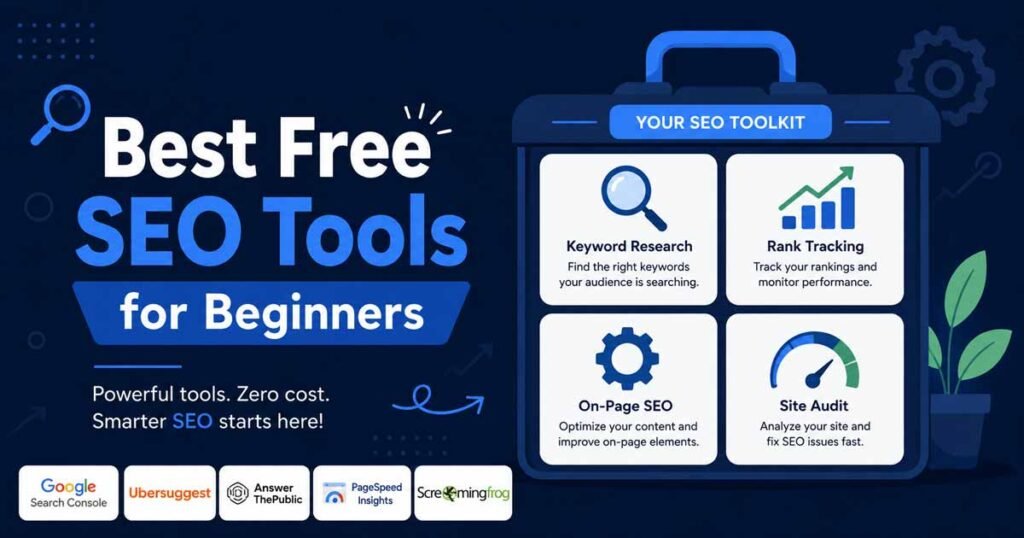
This guide covers ten tools, organized by what they actually do, plus two growth strategies every beginner overlooks. Set these up once, and you’ll have everything you need to start ranking, and just as importantly, you’ll know which of the dozens of tools marketed at beginners you can safely ignore for now.
Your On-Page Foundation
1. WordPress + Yoast SEO
If you’re blogging or running a content site, there’s a strong chance you’re already on WordPress. And honestly, that’s a great foundation, it’s flexible, widely supported, and the learning curve is surprisingly gentle.
But here’s where most beginners drop the ball: they publish content without optimizing it first.
Start with the basics. Every post needs a clear, relevant title that reflects what the article is actually about. Work your target keyword in naturally, don’t stuff it in every other sentence, just make sure it fits. Then write a compelling meta description for each page. Google displays it beneath your link in search results, and a well-written one can meaningfully boost your click-through rate.
Not sure if you’ve ticked all the boxes? Install the Yoast SEO plugin. It’s one of the most popular on-page SEO tools for WordPress users, and for good reason.
It gives you a real-time checklist, green means go, red means fix it, covering everything from keyword placement to readability and internal linking. Think of it as a co-pilot for every post you publish. For the full list of what to check before you hit publish, see our on-page SEO checklist.
Best for: anyone running a WordPress site who wants a real-time check on every post before it goes live.
2. Google Search Console
If you’re not using Google Search Console, you’re essentially flying blind.
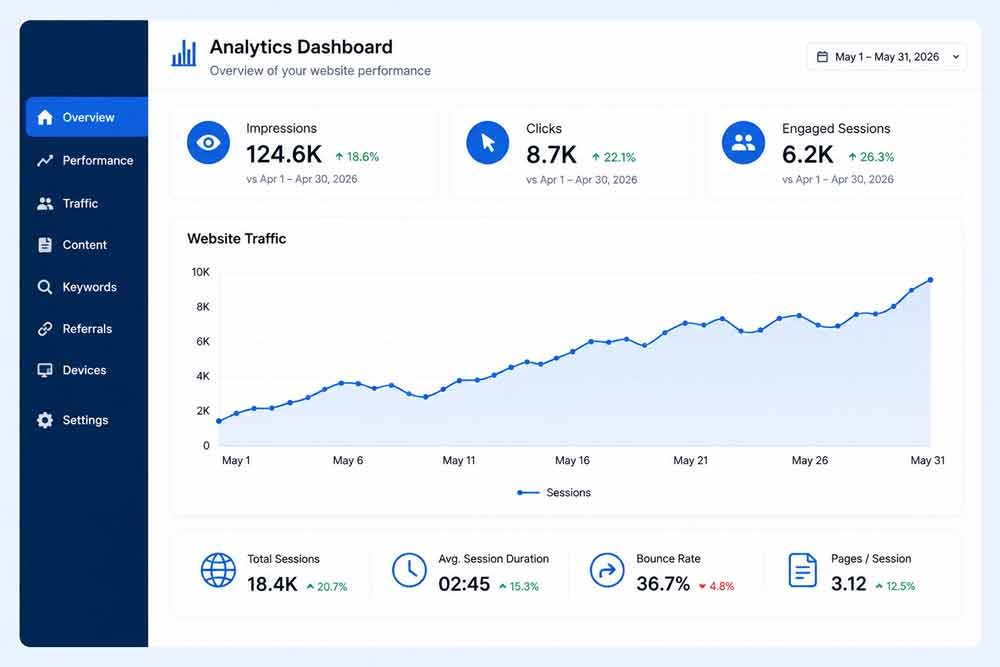
Setting it up takes about ten minutes, and it immediately starts giving you data you simply can’t get anywhere else. You’ll see which search queries are bringing people to your site, which pages are getting impressions versus clicks, and, critically, whether Google is having any trouble crawling or indexing your content.
Broken links, crawl errors, mobile usability issues, Search Console flags all of it. Ignore those signals, and your rankings will suffer without you ever knowing why.
One tactic worth doing from day one: check the Performance report for queries where you already rank in positions 8–20. Those are quick wins, a small content improvement can push them onto page one within weeks.
Every major search engine has a version of this. Bing Webmaster Tools works the same way for Microsoft’s search engine. Sign up for both. It’s free, it’s fast, and it’s one of the smartest moves any SEO beginner can make on day one.
Best for: literally every website, no exceptions. If you only set up one tool from this list, make it this one.
Getting started in the first week: verify your site with the HTML tag or DNS record method, submit your XML sitemap under the Sitemaps section, then check the Coverage report for any pages marked “Excluded” or “Error”, fixing those is usually the single highest-leverage first move a beginner can make.
3. Google Analytics 4
Search Console tells you how people find your site. Google Analytics 4 (GA4) tells you what they do once they arrive.
It shows which pages keep people reading, where they drop off, and which traffic sources, organic search, social, direct, actually convert into whatever your site’s goal is, whether that’s a purchase, a signup, or just time spent reading.
Connect it to Search Console and you get a complete picture: what people search for, and what they do when they land on your page because of it.
The setup involves adding a small tracking snippet to your site (WordPress users can do this through a plugin like Site Kit by Google, without touching any code).
Best for: understanding whether your traffic actually engages with your content, not just whether it arrives.
Free Keyword Research Tools
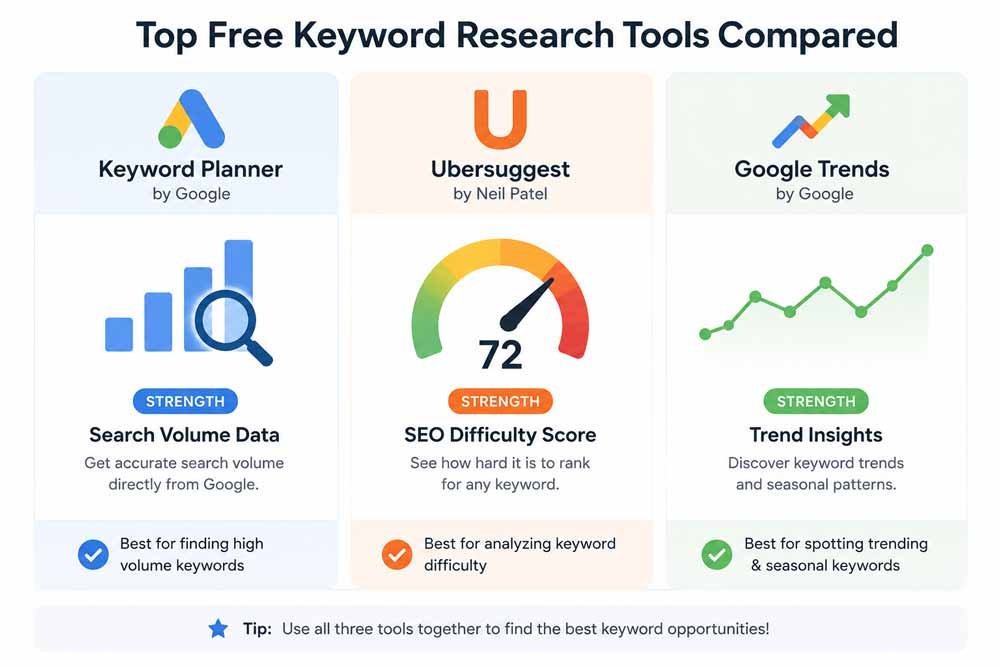
Keyword research tools each answer a slightly different question, and the trick as a beginner is knowing which one to reach for. Volume tools tell you how many people search a term.
Difficulty tools tell you whether you can realistically compete for it. Trend tools tell you whether that competition is about to get easier or harder. Using just one gives you a partial picture, using all three together is what actually leads to good keyword choices.
4. Google Keyword Planner
Keyword Planner was originally built for advertisers, but it’s genuinely useful for organic keyword research too, and it’s completely free with a Google Ads account (you don’t need to actually run ads to use it).
Type in a topic or a competitor’s URL, and it generates a list of related keywords along with search volume ranges. One honest caveat worth knowing: without active ad spend, Keyword Planner shows volume in broad buckets (like “1K–10K”) rather than exact numbers, and its competition score reflects advertiser bidding, not organic ranking difficulty. Use it for keyword discovery and ideas, not as your only source of truth on difficulty.
Best for: generating a long list of keyword ideas fast, especially around a specific topic or competitor.
5. Ubersuggest
Where Keyword Planner gives you volume ranges, Ubersuggest gives you an actual keyword difficulty score, plus related keywords and a look at which pages currently rank for a given term.
The free tier limits you to a handful of searches per day, which is honestly enough when you’re just starting out and testing ideas rather than running a full content calendar.
Use it to sanity-check the keywords Keyword Planner surfaces, low volume plus low difficulty is exactly the combination a new site should be targeting first.
Best for: finding realistically low-competition keywords a newer site can actually rank for.
6. Google Trends
Keyword research is the backbone of any SEO strategy, and Google Trends is one of the most underrated free tools for doing it well.
Instead of just showing you search volumes, Trends shows you momentum. Is interest in a topic rising or falling? What related terms are gaining traction? Which regions have the highest search demand for your niche? That last point, geo-targeting, is especially useful if your business serves a specific location or if you want to tailor content to a particular audience.
Best for: deciding what to write about next, and spotting rising topics before your competitors do.
7. AnswerThePublic
Type a keyword into AnswerThePublic, and it visualizes every real question people ask Google about that topic, “what is SEO for beginners,” “how does SEO work,” “is SEO still relevant,” and dozens more.
Each one of those questions is a potential blog post, an FAQ section, or a subheading in an existing article. This matters more in 2026 than it used to: question-format content aligns directly with what gets pulled into AI-generated search answers, so this tool doubles as a way to find content that’s positioned to get cited by AI search, not just ranked traditionally.
Best for: generating content ideas and FAQ sections based on real questions people are already asking.
Free Technical SEO Tools
8. Screaming Frog
Screaming Frog crawls your website the same way Google’s bots do, and flags the technical issues that quietly stop good content from ranking: broken links, missing meta tags, duplicate content, redirect chains, and title tags that run too long.
The free version crawls up to 500 URLs, which covers most beginner and small-business sites completely. Run it every few months, or any time you do a redesign, a crawl right after a site change is the fastest way to catch broken links before they cost you rankings.
Best for: anyone with a site larger than 10 pages who wants to catch technical problems before they quietly drag down rankings.
9. Google PageSpeed Insights
PageSpeed Insights analyzes your site’s loading speed and Core Web Vitals score, and Google officially uses page speed as a ranking factor, a slow site can rank lower regardless of how good the content is.
Run your homepage and your top few pages through it, then work through whatever it flags as the biggest issues first, usually oversized images or unused CSS. If image weight comes up (it almost always does), our guide on optimizing images for SEO covers exactly how to fix it, and our guide on optimizing CSS for performance covers the rest.
Best for: diagnosing exactly why a page loads slowly, with specific, prioritized fixes.
Reading the report: focus on the three Core Web Vitals scores first, Largest Contentful Paint, Interaction to Next Paint, and Cumulative Layout Shift. Everything else in the report is useful context, but these three are what Google actually factors into rankings, so fix these before chasing smaller warnings further down the list.
Two Growth Strategies Beginners Overlook
These aren’t software tools, but they matter just as much as anything on this list, and most beginner guides skip them entirely.
10. Content Distribution via Social Media
Here’s a mindset shift a lot of new bloggers need: great content doesn’t market itself.
You can write the most thorough, well-researched article in your niche, but if no one sees it, it might as well not exist. That’s where social media comes in, not as a direct ranking factor, but as a distribution engine that drives traffic and signals relevance to search engines.
When your content gets shared and engaged with, it creates social proof, and more eyeballs mean more chances of earning organic backlinks, which do directly impact your SEO.
Not every platform will be right for your niche. A B2B blogger might thrive on LinkedIn, while a lifestyle or food blogger might find Instagram or Pinterest more effective.
Show up consistently on the channels where your audience already hangs out, and make it easy for readers to share your content with one click, a visible share button removes the single biggest piece of friction between someone finishing your article and telling other people about it.
11. Backlink Diversity via Press Releases
Most beginner SEO guides talk about getting backlinks, but very few talk about backlink diversity, and it matters more than you’d think.
If every link pointing to your site comes from similar blogs in your niche, Google’s algorithm starts to discount them. A healthy backlink profile looks natural, meaning links from a variety of sources: industry directories, news sites, resource pages, and yes, press releases.
Using a press release distribution service like Newswire puts your content in front of journalists and outlets that can link to your site from high-authority domains. Even one well-placed press release can add a genuinely different type of link to your profile and boost your domain authority over time.
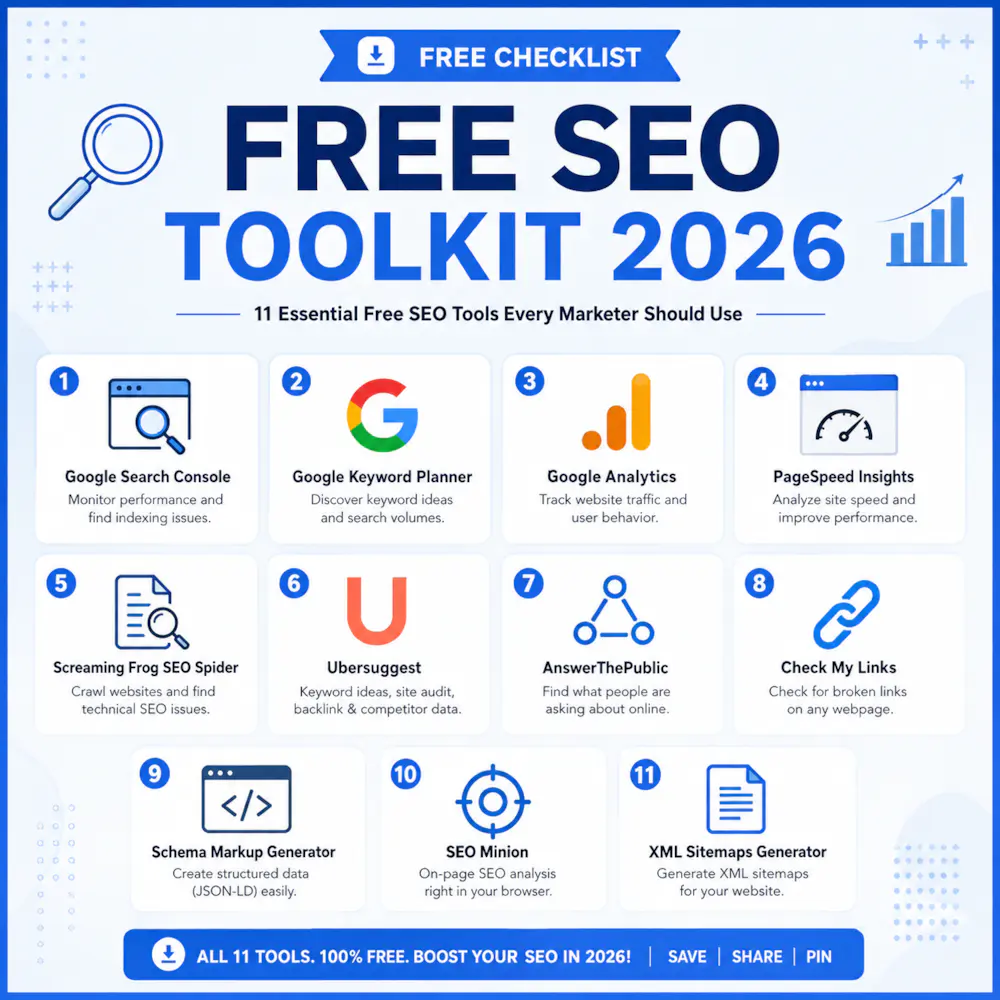
Quick-Reference Toolkit
☐ Yoast SEO: on-page optimization checks before you publish
☐ Google Search Console: how Google sees and crawls your site
☐ Google Analytics 4: what visitors do once they arrive
☐ Google Keyword Planner: fast keyword idea generation
☐ Ubersuggest: realistic keyword difficulty scoring
☐ Google Trends: what’s rising in your niche right now
☐ AnswerThePublic: real questions people are asking, for content and FAQs
☐ Screaming Frog: a full technical crawl of your site
☐ Google PageSpeed Insights: speed and Core Web Vitals diagnostics
☐ Social media: distribution for content that doesn’t market itself
☐ Press release distribution: backlink diversity beyond your niche
Frequently Asked Questions
Do I really need all ten of these tools to start?
No. If you’re setting up today, start with just three: Google Search Console, Yoast SEO (if you’re on WordPress), and one keyword tool, either Keyword Planner or Ubersuggest. Add the rest as you grow and start running into problems each one solves.
What’s the single most important free SEO tool?
Google Search Console, without much competition. It’s the only tool with direct access to how Google actually crawls, indexes, and ranks your specific site, no other tool can replicate that.
Are free SEO tools actually good enough, or do I need to pay eventually?
For a beginner or small site, free tools cover the core workflow completely, keyword research, technical auditing, on-page checks, and performance tracking.
Paid tools like Ahrefs or Semrush add convenience and deeper competitor data, which becomes worth paying for once you’re managing a larger site or a client’s account, not before.
How much time should I spend using these tools each week?
Start light, 30–60 minutes a week checking Search Console and Analytics is enough once your site is set up. Keyword research tools you’ll use more heavily whenever you’re planning new content, not on a fixed schedule.
Do these tools help with AI search and AI Overviews, or just traditional Google rankings?
Both, increasingly. AnswerThePublic’s question data lines up directly with what AI-generated answers tend to cite, and Search Console still shows your visibility even as more answers appear directly in search results.
The fundamentals, clear content that actually answers a question, are what both traditional rankings and AI citations reward.
Is Bing Webmaster Tools worth setting up if I already have Google Search Console?
Yes, it takes ten minutes and it’s free. Bing has a smaller share of search traffic, but it’s non-zero, and the setup cost is low enough that skipping it doesn’t save you meaningful time.
What order should I set these tools up in?
Start with Google Search Console and Google Analytics 4 together, since they’re both foundational and take about ten minutes each. Add Yoast SEO next if you’re on WordPress.
Only move on to keyword research tools once those three are running and you’re ready to plan new content, there’s no benefit to installing everything on day one before you’ve published anything to measure.
Can I run an entire small business’s SEO using only free tools?
Yes, for quite a while. Many small sites and solo bloggers run for a year or more using nothing but this list before hitting a genuine ceiling, usually needing deeper competitor backlink data or rank tracking at scale. Until you hit that ceiling, a paid tool mostly buys convenience, not capability you don’t already have.
Do I need separate tools for ecommerce SEO, or does this list still apply?
The same foundational tools apply, Search Console, Analytics, and PageSpeed Insights matter just as much for a store as for a blog. Ecommerce sites layer on a few extra needs, like Product schema validation and Google Merchant Center, which our ecommerce SEO checklist covers in full.
Tools to Skip Until You Actually Need Them
Part of being a beginner is knowing what to ignore for now, not just what to install. A few tools that show up on “best SEO tools” lists aren’t worth your time yet:
- Enterprise rank trackers: useful once you’re managing dozens of keywords across a large site, overkill for a handful of blog posts
- Paid backlink analysis platforms (Ahrefs, Semrush): genuinely powerful, but their core value is competitor analysis at scale, which matters more once you have real competitors to analyze
- AI-powered “auto-optimize” plugins: tempting, but they tend to produce generic, over-optimized content that reads exactly like every other site using the same plugin; there’s no substitute yet for writing content a human would actually want to read
Common Mistakes Beginners Make With These Tools
- Installing everything at once and using none of it properly. Three tools used consistently beat ten tools opened once and forgotten.
- Treating Keyword Planner’s competition score as ranking difficulty. It measures ad competition, not organic difficulty, a genuinely common and costly misreading.
- Checking Search Console once and never again. The value compounds the more regularly you check it; monthly is the minimum, weekly is better once you’re publishing often.
- Ignoring Screaming Frog’s crawl after a site redesign. This is exactly when broken links and redirect chains pile up unnoticed.
- Skipping Analytics because Search Console feels like enough. They answer different questions — one’s about discovery, the other’s about what happens next.
Start Simple, Stay Consistent
The biggest mistake SEO beginners make isn’t using the wrong tools, it’s using none at all and hoping things just work out.
These ten tools won’t turn you into an overnight expert, but together they give you a complete, free system: what to fix on the page, how Google sees your site, what to write next, and whether any of it is actually working. Set them up, check in regularly, and let the data guide your decisions.
That’s how good SEO actually gets done.
