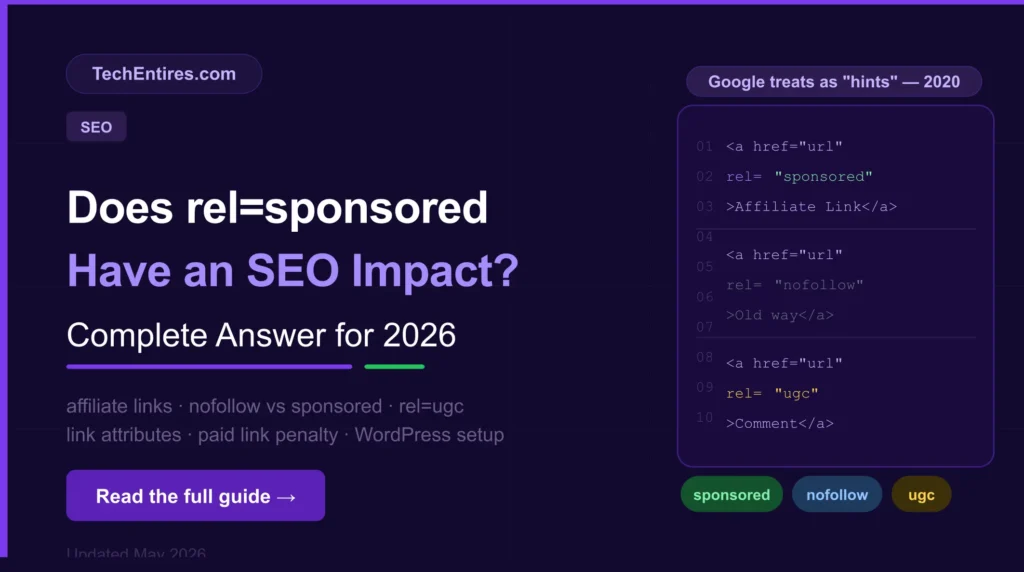
The short answer and why it is more nuanced than most guides admit
If you run a blog with affiliate links, sponsored content, or paid partnerships, you have almost certainly come across the rel=sponsored attribute and wondered whether it actually affects your SEO. The topic causes genuine confusion because the answer has layers and most articles either oversimplify it or ignore the parts that actually matter for bloggers in 2026.
Here is the direct answer: rel sponsored SEO impact is indirect rather than direct. The attribute itself does not pass or block link equity in a way that meaningfully changes your rankings. But misusing it or failing to use it on paid links can trigger manual penalties from Google’s spam team, which have a very direct SEO impact. Understanding the distinction is what this guide is about.
We will cover exactly what rel=sponsored does, how Google treats it, when you must use it versus when it is optional, how it compares to rel=nofollow and rel=ugc SEO signals, and how to add it correctly in WordPress with verified information from Google’s own official documentation and current SEO research.
Quick context check: if you have affiliate links, sponsored post disclosures, or any paid link placements on TechEntires.com, this guide applies directly to you. If your site has no paid or commercial links at all, rel=sponsored is not relevant to your current setup.
What is the rel=sponsored attribute?
The rel=sponsored attribute is an HTML link attribute introduced by Google in September 2019 through their Google Search Central documentation. It is added to the anchor tag of a link to tell Google that the link exists because of some form of commercial arrangement advertising, sponsorship, paid partnership, or affiliate commission.
The syntax looks like this: a href=’https://example.com’ rel=’sponsored’Link text/a
Before 2019, all paid and sponsored links were required to use rel=nofollow. Google introduced rel=sponsored (along with rel=ugc) to give website owners a more specific way to communicate the nature of their outbound links. Instead of everything non-editorial being grouped under one broad nofollow tag, Google now has three distinct signals:
| Attribute | Purpose | When to use it | Introduced |
| rel=”nofollow” | General non-endorsement signal | Links you don’t vouche for editorially general catch-all | 2005 |
| rel=”sponsored” | Identifies paid or commercial links | Affiliate links, sponsored posts, paid placements, advertorials | September 2019 |
| rel=”ugc” | Identifies user-generated links | Comment sections, forum posts, user profiles | September 2019 |
According to Google’s official documentation in Google Search Central: ‘rel=sponsored marks paid links; rel=ugc designates user-generated content. rel=nofollow signals that Google should not associate your site with the linked page or crawl it. Multiple rel values can be used together.’ This means you can combine attributes for example rel=’ugc sponsored’ on a link if a single link falls into more than one category.
For bloggers who monetise through affiliate marketing, managing link attributes correctly is one part of a broader strategy to convert blog traffic into sales see the full guide.
How does Google treat rel=sponsored in 2026?

This is where the practical impact of rel sponsored SEO becomes clear and where the nuance matters.
Since Google updated its approach in 2020, all three link attributes rel=nofollow, rel=sponsored, and rel=ugc are treated as hints rather than strict directives. This is a significant change from the pre-2020 interpretation, when nofollow was treated as an absolute instruction not to follow the link or pass any PageRank.
According to ignitevisibility.com’s analysis of Google’s current stance: ‘Google now treats nofollow attributes, including sponsored and ugc, as hints which may be used for ranking in some cases. Google still primarily uses these attributes to understand the link graph rather than as a strong ranking signal.’
The Ahrefs glossary on sponsored link attributes confirms this directly: ‘There’s no real difference at least as far as your website’s SEO is concerned between rel=nofollow or rel=sponsored. Both can be used to identify sponsored and affiliate links.’
What does ‘hints’ mean in practice? It means Google may choose to follow and consider these links in its algorithm at its own discretion even when the attribute is present. Google will not pass full editorial link equity through a sponsored link the way it would through a clean dofollow link. But it is not guaranteed to ignore the link completely either. The signal is directional, not binary.
The practical implication for bloggers: rel=sponsored does not meaningfully boost or hurt your rankings on its own. What it does is comply with Google’s link transparency policies and compliance is what protects you from the penalty risk that non-disclosure creates.
Does rel=sponsored pass link juice to Google?
Does rel=sponsored pass link juice? The technical answer is: no, not in the same way a standard dofollow link does. Google’s documentation and its treatment of these links as ‘hints’ means that sponsored links are generally not passed full link equity to the target page. The attribute signals to Google that the link is commercial and Google’s systems discount commercial links because they are not independent editorial endorsements.
However, as noted above, ‘no full link equity’ does not mean ‘zero signal’. Google’s hint-based system means it may still follow and contextually assess sponsored links as part of understanding your site’s content and topic relevance. The difference is in the weight of the signal not its complete absence.
For a blogger or site owner placing outgoing sponsored links, this means: the affiliate links and sponsored post links you place on your site do not harm your SEO when properly tagged. They are not passing PageRank to the linked site, but they are not creating negative signals for your own domain either as long as they are properly declared.
For a deeper understanding of how link equity contributes to your overall domain authority, see our guide on what is domain authority .
When you must use rel=sponsored and the penalty risk of not using it
This is the section that matters most for bloggers running affiliate programmes or publishing sponsored content. Using rel=sponsored is not optional for paid and commercial links it is a compliance requirement under Google’s link spam policies.
According to stiv.media’s November 2025 analysis: ‘Failing to use the rel=sponsored attribute on commercial links could lead to a manual penalty from Google’s spam team or at least a loss of algorithmic trust.’ Google’s webmaster guidelines have consistently stated that paid links that pass PageRank without proper disclosure are a violation that can result in manual action against your site.
Situations where rel=sponsored is required:
- Affiliate links any link that earns you a commission when clicked or converted. This includes Amazon Associates links, ShareASale, Commission Junction, and any other affiliate network. These must use rel=sponsored (or at minimum rel=nofollow) on every affiliate link on your site.
- Sponsored blog posts content you have been paid to publish, even if you wrote it yourself. The links within that content pointing to the sponsor’s site must use rel=sponsored.
- Advertorials and paid reviews if you received payment, products, or services in exchange for a review or mention, the links in that content are sponsored links.
- Paid link placements if someone paid you to include a link to their site anywhere on your page, that link requires rel=sponsored regardless of whether it is in a sidebar, footer, or within content.
Situations where rel=sponsored is not required and where rel=nofollow or a clean dofollow link is more appropriate:
- Genuinely editorial affiliate links some SEOs debate this, but Google’s guidance is clear: if the link is commercial in nature (you earn money from it), use rel=sponsored. The editorial quality of the surrounding content does not change the commercial nature of the link.
- Links to free tools or resources you use and recommend if there is no commercial relationship and you genuinely use and endorse the resource, a standard dofollow link is appropriate. No rel attribute needed.
- Internal links rel=sponsored applies only to external outbound links. Never apply it to internal links within your own site.
Important compliance note for affiliate bloggers: according to Ahrefs 2026 data, only 0.01% of referring domains to the top 110,000 websites use rel=sponsored. This means the vast majority of affiliate bloggers are either using rel=nofollow (which is acceptable) or using no attribute at all (which is a compliance risk). If your site has affiliate links with no rel attribute, fix this before Google’s spam systems flag it.
Understanding the full importance of link building for SEO explains why Google guards its link signals so carefully see our complete guide.
rel=nofollow vs rel=sponsored which should you use in 2026?
When to use rel=sponsored vs rel=nofollow is the most common practical question bloggers ask about link attributes SEO 2026. The clear answer based on current Google guidance:
| Situation | Use this | Why |
| Affiliate links on your blog | rel=”sponsored” | Specifically designed for commercial/paid links. More informative to Google than nofollow. |
| Sponsored post links | rel=”sponsored” | Direct compliance with Google’s paid link disclosure requirements. |
| Comment section links | rel=”ugc” | User-generated, not editorial. WordPress adds this automatically. |
| Links you don’t want to endorse | rel=”nofollow” | General non-endorsement. Still perfectly valid catch-all. |
| Existing nofollow on old paid links | Keep as-is | Google says no need to retroactively change existing nofollow links. |
| Links you genuinely recommend editorially | No attribute (dofollow) | Clean editorial links with no commercial relationship need no attribute. |
According to conductor.com’s April 2026 analysis, which quotes directly from Google’s 2019 Webspam report: ‘Along with rel=nofollow, we began treating these as hints for us to incorporate for ranking purposes.’ The practical takeaway from this for bloggers is that both rel=nofollow and rel=sponsored serve the same functional purpose.
If you already have rel=nofollow on all your affiliate links and sponsored content links, you do not need to change them. If you are adding new paid links, use rel=sponsored for clarity and compliance.
One important note from Search Roost’s February 2026 guide: ‘There is no need to change existing nofollow links.’ Google confirmed this explicitly when introducing the new attributes the update was additive, not a replacement. Sites that have consistently used rel=nofollow on paid links are already compliant.
How to add rel=sponsored in WordPress step by step
Adding the sponsored link attribute in WordPress is straightforward once you know where to look. There are three methods depending on your setup:
Method 1: Gutenberg block editor (manual)
In the WordPress block editor, highlight the link text → press Ctrl+K to open the link panel → click the gear icon (Advanced options) → in the ‘Link rel’ field, type ‘sponsored’ → press Enter and save. This adds rel=sponsored to that specific link. You need to do this manually for each affiliate link.
Method 2: Classic Editor (HTML view)
In the Classic Editor, switch to Text/HTML view and find your link. Change: a href=’https://affiliate-url.com’ to: a href=’https://affiliate-url.com’ rel=’sponsored’. For links that should also not be followed, use: rel=’sponsored nofollow’. Save the post.
Method 3: Plugin automation (recommended for affiliate bloggers)
For sites with many affiliate links, manually adding rel=sponsored to each one is impractical. Plugins like Tasty Links, ThirstyAffiliates, and Pretty Links allow you to define your affiliate link groups and apply rel=sponsored automatically to every link in that group across your entire site. This is the most reliable method for ensuring compliance across a large number of affiliate links.
For WordPress comment sections: WordPress already adds rel=ugc to comment links automatically in most modern themes. You do not need to configure this manually unless you are running a heavily customised comment system.
Practical tip for implementation: start with your highest-traffic posts and work backward. Open each post in your editor, search for affiliate links, and verify the rel attribute is present. For most blogs, completing the top 20 posts handles the majority of your compliance exposure.
For affiliate bloggers looking to build additional backlinks alongside their affiliate strategy, PDF submission to high-DA platforms is an effective complementary tactic see the full list.
Do affiliate links with rel=sponsored affect your own SEO?
Do affiliate links with rel=sponsored affect SEO for the site placing them meaning your own site? This is the concern most bloggers have: will having lots of sponsored links on my pages hurt my own rankings?
The answer is no as long as they are properly tagged. According to the Ahrefs glossary on sponsored link attributes: ‘There’s no real difference at least as far as your website’s SEO is concerned between rel=nofollow or rel=sponsored.’ Properly tagged sponsored links are transparent, compliant, and do not create negative signals for your domain.
Where the risk lies is in undisclosed paid links affiliate links or sponsored placements with no rel attribute at all. These appear to Google as clean editorial endorsements. If Google’s spam detection systems identify them as undisclosed commercial links, this is a link spam policy violation. The consequence can range from algorithmic trust reduction to a manual penalty requiring a Search Console reconsideration request.
Google’s March 2024 Core Update specifically introduced new spam policies targeting site reputation abuse and paid link schemes, according to opace.agency’s March 2026 analysis. In 2026, properly disclosing affiliate link SEO impact through rel=sponsored is more important from a compliance standpoint than it has ever been even if the direct ranking effect of the attribute itself is minimal.
See how to audit your existing links and identify any that may lack proper attributes in our guide to rewriting old blog posts a comprehensive content refresh includes checking every outbound link for proper attribution.
Combining rel attributes when to use more than one
One of the less-documented features of the link attribute system is that multiple rel values can be applied to a single link. According to opace.agency’s March 2026 update: ‘Multiple rel values can be combined on a single link (e.g., rel=ugc sponsored).’
Practical scenarios where combining makes sense:
- rel=’sponsored nofollow’ use this when you want maximum clarity. The nofollow signals non-endorsement while sponsored identifies the commercial nature. This double declaration was the recommended approach from many SEOs before the hint-based system confirmed that sponsored alone is sufficient.
- rel=’ugc sponsored’ use this for affiliate links placed by users in comment sections or forums for example, if your site allows users to post referral links. This communicates both the user-generated and commercial nature of the link.
- rel=’nofollow ugc’ the combination WordPress uses by default for comment links on many themes. Covers both non-endorsement and user-generated signals simultaneously.
In most cases for a standard blog with affiliate links and sponsored content, rel=’sponsored’ alone is sufficient. Adding nofollow as well provides belt-and-braces protection but is not required under Google’s current guidance.
Frequently Asked Questions
Does rel=sponsored have an SEO impact?
The SEO impact of rel=sponsored is indirect rather than direct. The attribute itself does not pass or block link equity in a way that meaningfully changes your rankings.
However, failing to use it on paid and affiliate links creates compliance risk undisclosed commercial links that appear as editorial endorsements violate Google’s link spam policies and can result in manual penalties. Proper use of rel=sponsored protects your site from that risk without any negative impact on your own rankings.
Does rel=sponsored pass link juice to the linked page?
No not in the same way a dofollow editorial link does. Google treats sponsored links as ‘hints’ and generally does not pass full PageRank through them.
This means the affiliate or sponsored links you place on your site are not giving significant SEO benefit to the sites you link to which is Google’s intended outcome. The attribute signals commercial intent and Google discounts commercial links accordingly.
When should I use rel=sponsored vs rel=nofollow?
Use rel=sponsored for any link that exists because of a commercial relationship affiliate links, sponsored posts, paid placements, or advertorials. Use rel=nofollow for links you do not want to editorially endorse but which are not commercial in nature.
If you already have rel=nofollow on all your existing affiliate links, Google says there is no need to change them both attributes are treated equivalently for commercial link compliance. For new paid links, rel=sponsored is the more specific and preferred option.
How do I add rel=sponsored in WordPress?
In Gutenberg: highlight the link text → press Ctrl+K → click the gear icon for advanced options → type ‘sponsored’ in the Link rel field → save. In Classic Editor HTML view: add rel=’sponsored’ directly to the anchor tag. For sites with many affiliate links, a plugin like ThirstyAffiliates or Tasty Links lets you apply rel=sponsored automatically to all links in a defined affiliate group across your entire site.
What is the difference between rel=nofollow, rel=sponsored, and rel=ugc?
rel=nofollow is the original (2005) general non-endorsement attribute it tells Google not to associate your site with the linked page. rel=sponsored (introduced 2019) specifically identifies paid or commercial links. rel=ugc (introduced 2019) identifies links added by users in comments or forums.
All three are now treated as ‘hints’ by Google rather than strict directives meaning Google may still follow them at its discretion. For practical compliance purposes: use sponsored for paid links, ugc for user-generated links, and nofollow as a catch-all for anything else you do not editorially endorse.
Does rel=sponsored hurt my own website’s SEO?
No properly tagged sponsored links do not hurt your own rankings. The Ahrefs glossary confirms: ‘There’s no real difference between rel=nofollow or rel=sponsored for your website’s SEO.’
The risk to your own SEO comes from having undisclosed commercial links affiliate links or paid placements with no rel attribute at all, which appear as editorial endorsements and can trigger Google’s link spam detection systems.
Is rel=sponsored required for all affiliate links?
Yes according to Google’s link spam policies, all paid and commercial links should use rel=sponsored (or at minimum rel=nofollow). This includes every affiliate link on your site, not just links in sponsored posts.
The most reliable way to ensure full compliance on a blog with many affiliate links is to use a link management plugin that applies rel=sponsored automatically to all links in defined affiliate categories.
